Sync: Plan & Actual, an iPhone and iPad app that sets your planned day beside what really happened, is free on the App Store at the time of writing. New Mobile Life reports its usual price as US $0.99, and the Canadian App Store listing also shows it as free.
The developer, 037, says Sync puts plan and actual on one timeline and shows where the two part ways. No end date for the free price is given, so treat it as a limited time offer that can change at any time.
What does Sync do?
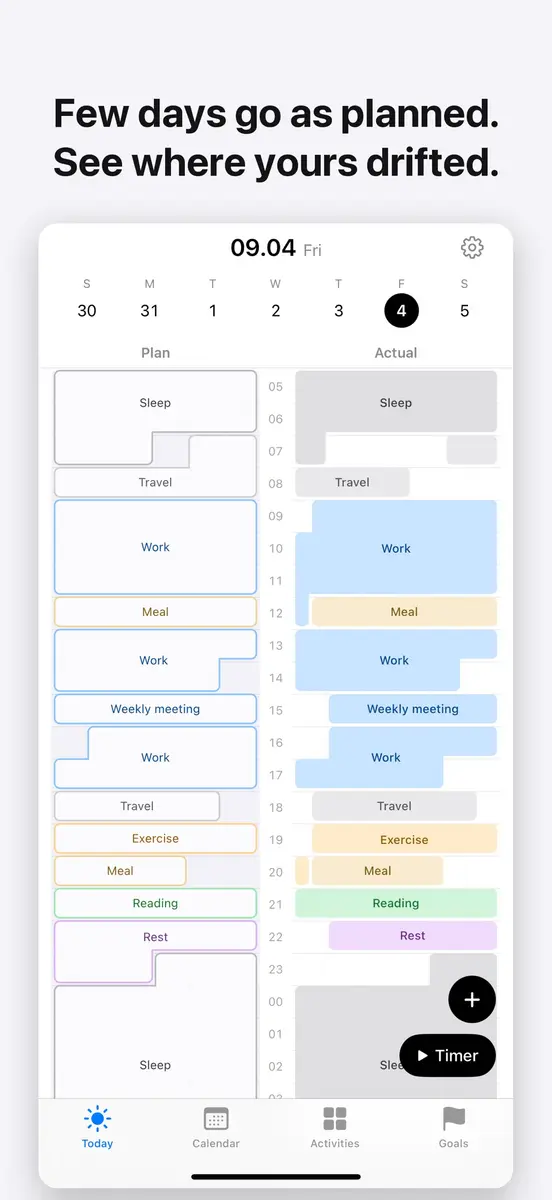
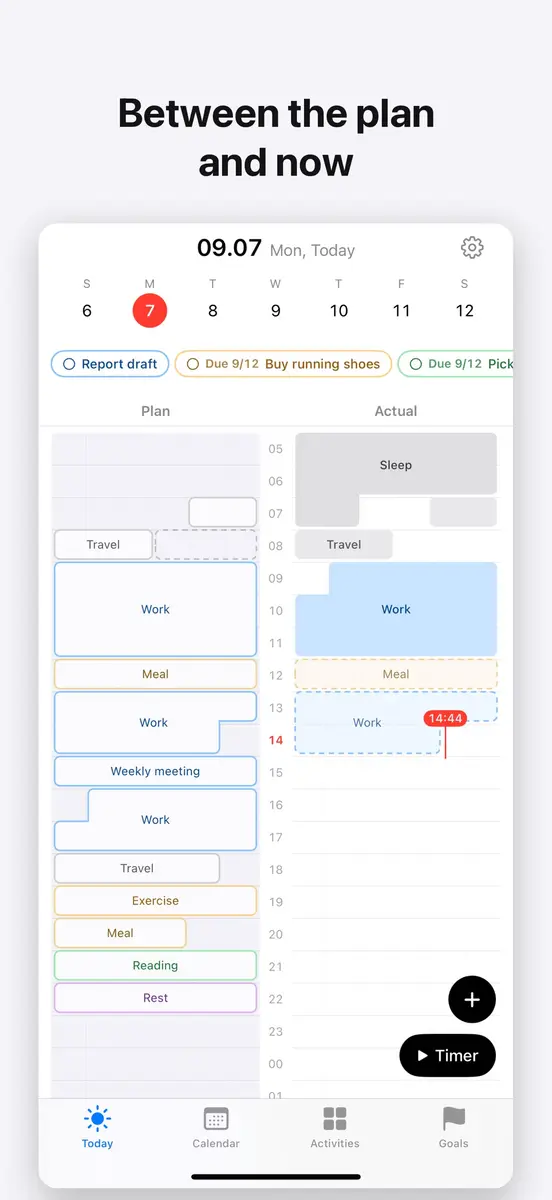
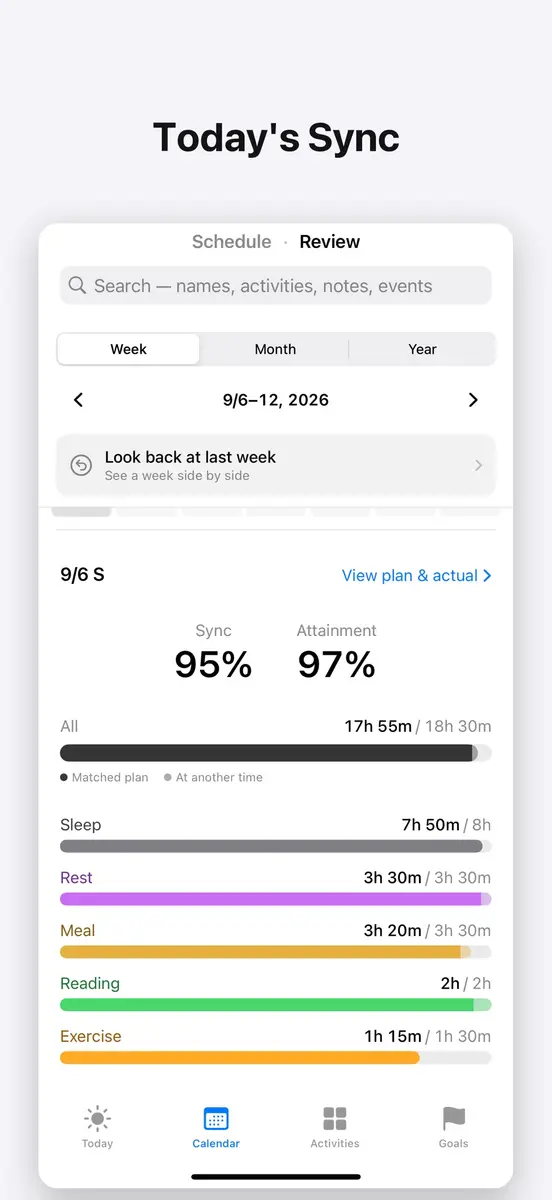
Sync is built around two tracks that share one time axis. You plan the day in the morning, record what you did in the evening, and the tracks sit side by side, with time that went as planned and time that drifted shown in colour. After a week, the developer says, the hours that always slip become obvious.
Building a plan means dragging over the hours and picking an activity. When a plan ends, a notification and a confirm card offer three buttons: Record as planned, Adjust and record, or Skip. The same buttons show on the Lock Screen and in widgets.
Which features come with it?
According to the App Store listing, the app includes:
- A timer that grows the actual track in real time, which you can stop from the Lock Screen or the Dynamic Island
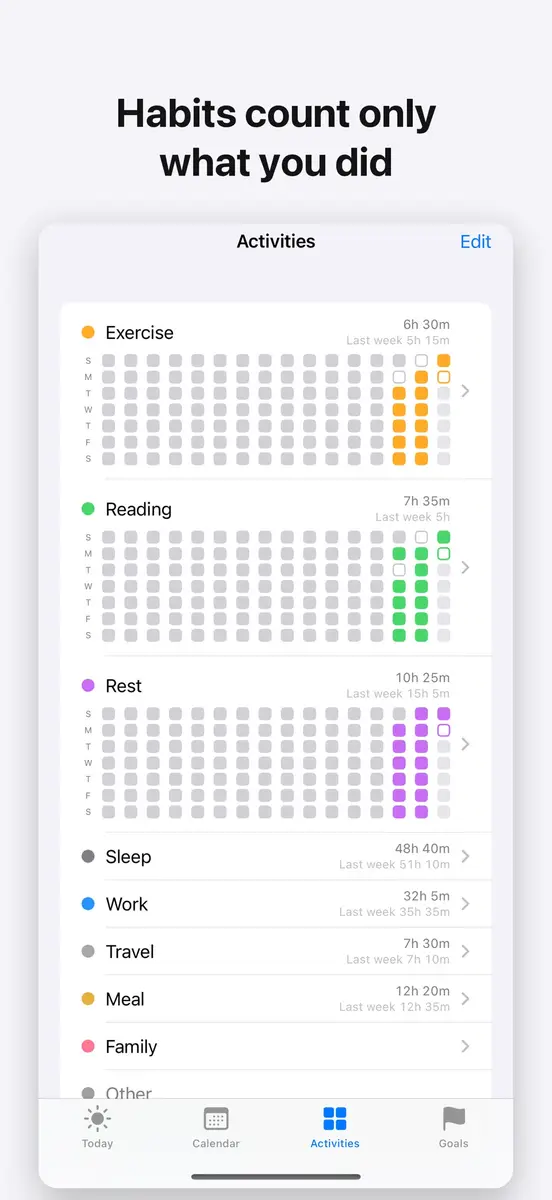
- Repeats and habits, with a choice between saving an edit for this day only or for all future days, plus plans that run past midnight saved in one go
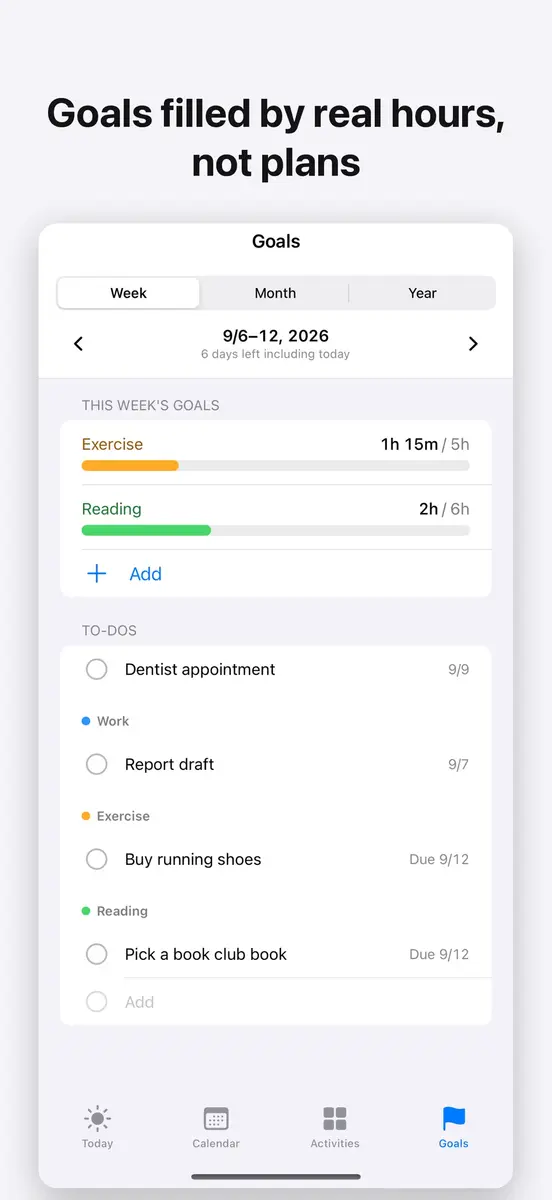
- Weekly, monthly or yearly time goals per activity, filled in from your actual records
- To-dos that can have both a scheduled day and a deadline, kept in step with a Reminders list
- A read only Apple Health connection, so workouts and sleep from Apple Watch or any app that writes to Health flow into the actual track
- Calendar events shown beneath the plan track, with a choice of which calendars to display
- A close the day step before bed that shows your Sync and time per activity, with room for a one line note
The version history lists iCloud sync between iPhone and iPad (off until you switch it on), a Review tab, and undo within 5 seconds for deletes and skips. The latest version is 1.3.1.
How much does Sync cost in Canada and the US?
In Canada, the Canadian App Store listing shows Sync at a price of 0 CAD, which means free. The sources do not give a Canadian regular price.
In the US, New Mobile Life says the original price is US $0.99 and that the app is free for a limited time. The official App Store listing is labelled Free and does not state an end date. These are prices at the time of writing, and they can change at any time.
How do you get it?
Open the App Store on an iPhone or iPad, search for Sync: Plan & Actual by the developer 037, and check that the button says Get before you tap it. Sync is a 12.6 MB download and requires iOS 18.0 or later, iPadOS 18.0 or later, or visionOS 2.0 or later. It is available in English and 7 more languages, including Japanese, Korean, Italian, Vietnamese, Indonesian and both forms of Chinese.
Who is Sync for?
People who always run late. If your mornings never match the plan, the side by side view shows which hours slip, week after week, without any guesswork.
People who already use Apple Health or Calendar. Workouts and sleep from Health come into the actual track on their own, and Calendar events sit under the plan, so there is less to type by hand.
People with both an iPhone and an iPad. The app has views made for the larger screen, and turning on iCloud sync keeps records matched across devices signed in to the same Apple Account. It works only between Apple devices.
People who dislike sign ups. The listing says there is no sign up and no server of the developer’s own, and records are stored on your device. The privacy label says the developer collects no data, though Apple notes it has not verified that information.
What is still unknown?
The end date of the free price has not been published, and no Canadian regular price is stated. The listing does not say whether the app will stay free after updates. It also has too few ratings to show an overview yet, so there is no wider user feedback to read.
If you want to try it, check the price on the official listing at apps.apple.com before you download.