Notice, an iPhone app that puts a live timer on screen while you scroll, is listed as Free on the App Store in both Canada and the United States. Tech site New Mobile Life says the app normally costs US $9.99 and is free for a limited time, but neither the site nor the App Store page gives an end date.
The developer is DJAMSHID JURAYEV, and the pitch is simple: most screen time tools either block an app before you open it or show a chart the next day, while Notice shows the time you have spent while you are still in the app.
What does Notice actually do?
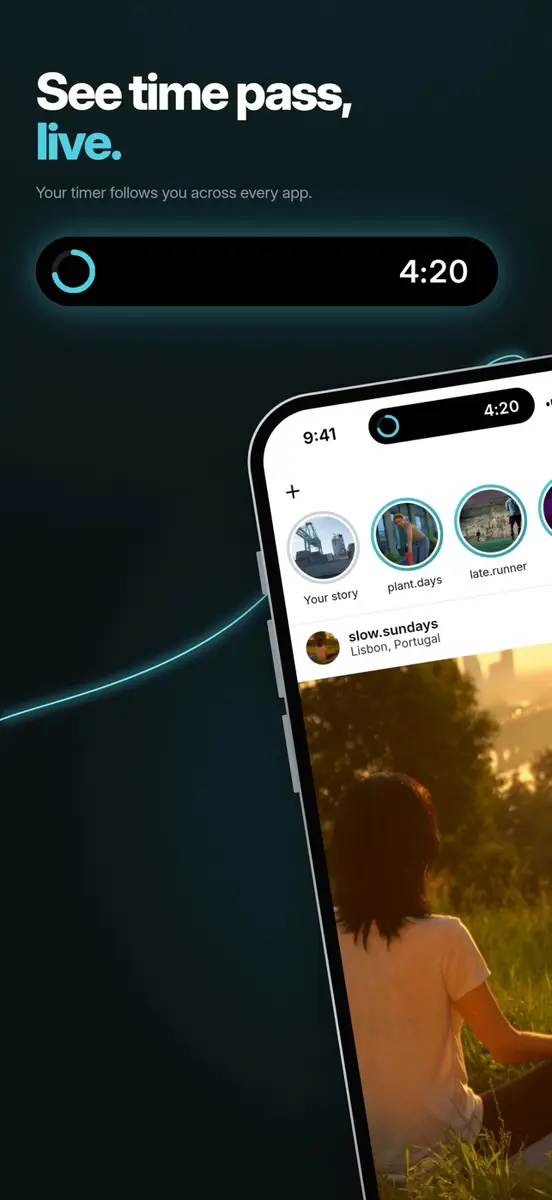
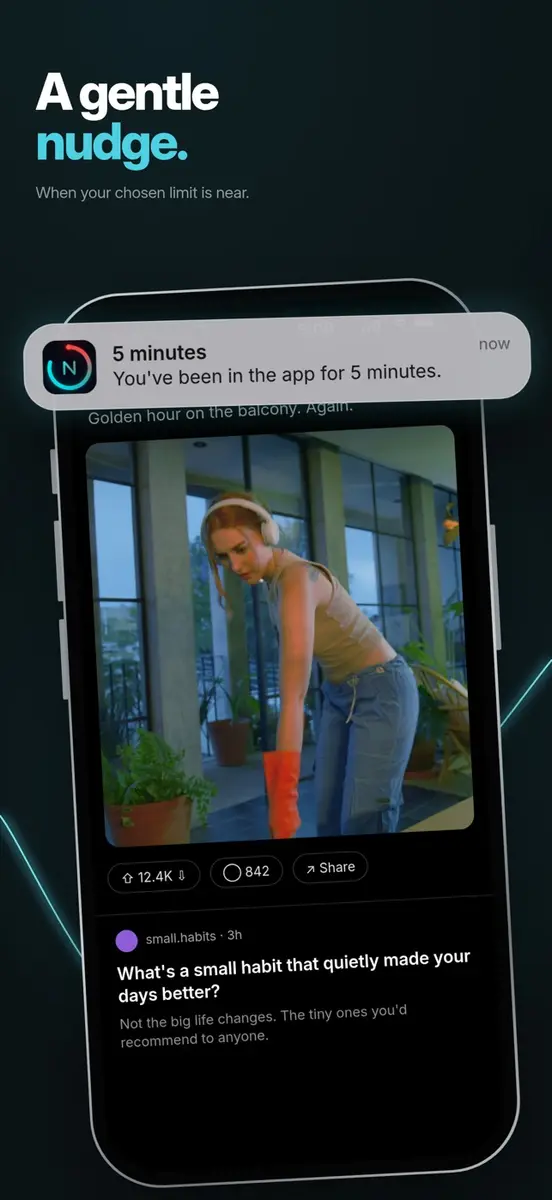
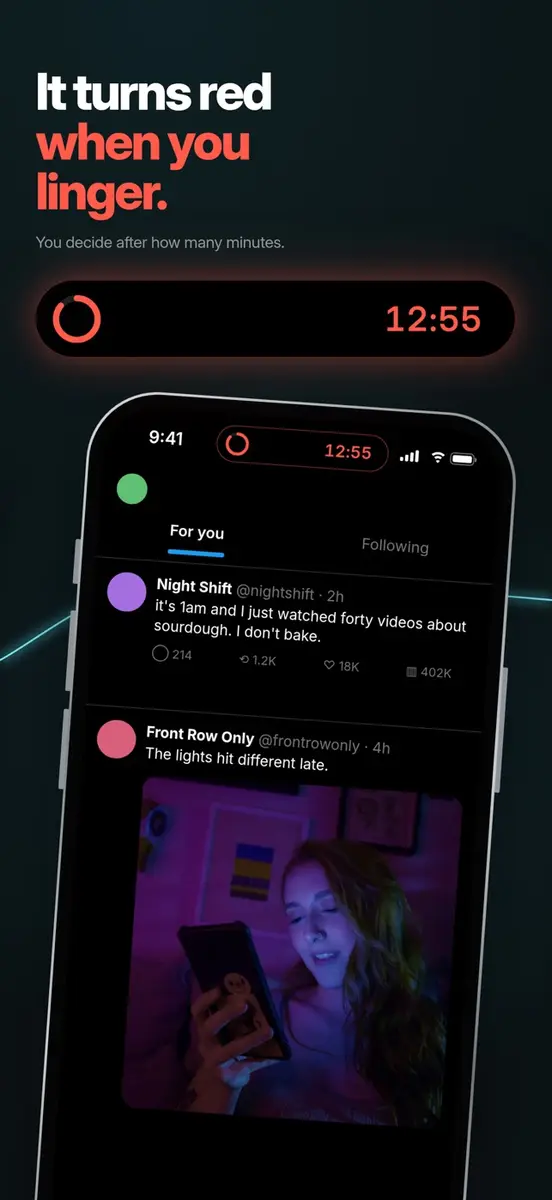
Notice counts how long you stay in apps you have chosen and shows the running time on screen. On iPhone 14 Pro and later the timer sits in the Dynamic Island, and on other models it appears on the Lock Screen.
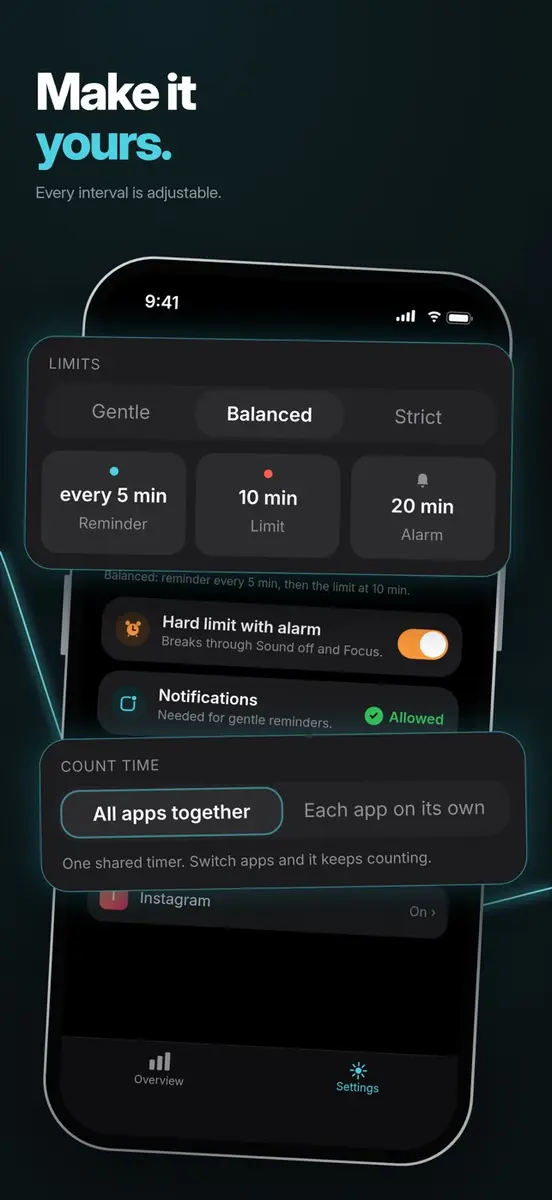
You pick Gentle, Balanced or Strict to set how often you get reminders and when your limit hits. The timer turns red once you reach the limit, and gentle reminder notifications arrive as time goes on.
There is also an optional hard limit with an alarm that breaks through Silent Mode and Focus. According to the App Store page, that alarm needs iOS 26.1 or later, and you can switch it off at any time.
You can use one shared timer for all connected apps or a separate timer for each. The app also shows today’s totals: time spent, number of sessions and the longest session.
How do you set it up?
Setup runs through the Shortcuts app. Notice gives you a ready-made shortcut and asks you to create one Shortcuts automation, with a short picture guide to walk you through it. You can add more apps later.
After that, the timer starts when you open a connected app and pauses when you leave. Because it relies on Shortcuts, setup is not a single tap, so plan a few minutes for it.
The developer stresses that Notice never stops you from using an app. It only makes the time visible.
Does Notice collect your data?
The listing says no. The developer states there is no account, no sign-up and no tracking, that the app only knows the apps you connect, and that everything stays on your iPhone. The App Store privacy label reads “Data Not Collected”, though Apple notes that this information comes from the developer and has not been verified by Apple.
How much does Notice cost in Canada and the US?
In Canada, the App Store listing shows Notice as Free in Canadian dollars. A Canadian regular price has not been published in the sources we read.
In the United States, the listing is also Free. New Mobile Life gives US $9.99 as the original price, which is the only list price reported.
Notice needs iOS 18.0 or later according to the compatibility panel, although the developer’s description says iOS 18.2 and later, so check your version before downloading. The download is 7.3 MB.
Who is Notice for?
Heavy scrollers who want a nudge, not a wall. If you lose half an hour in one app without noticing, a timer on screen is the whole idea. Nothing is blocked, so you decide when to stop.
People who already use Focus modes. The optional hard limit alarm is built to cut through Silent Mode and Focus, but only on iOS 26.1 or later.
Privacy minded users. Nothing leaves the phone and there is no sign-up, based on the developer’s own statements.
Anyone who wants strict blocking or long term charts. The listing describes today’s totals only and says Notice does not stop you from opening apps, so this is not that tool.
What is still unknown?
No end date has been given for the free offer, so it may change at any time. The listing says the app has not received enough ratings or reviews to show an overview, and the current version, 1.2, is only days old.
Before you install, open the App Store listing for Notice: Mindful Screen Time and confirm the button still says Get rather than showing a price.