ProUser: Command Your Day, an iPhone app that adds and edits calendar events from a single typed or spoken sentence, is currently free on the App Store in Canada and the United States. Hong Kong deals site New Mobile Life reported it as a limited time free offer, down from US $0.99. The App Store listing does not give an end date, so the price may change at any time.
How it works
Instead of tapping through menus and date pickers, you type a line such as “coffee with sam tomorrow at 9” and the event lands on your calendar. According to the developer, the text is read on the device itself, so nothing waits on a server and the same words always give the same result. You can also speak your command instead of typing it.
What you can do, according to the App Store listing:
- Add events in one line, for example “dentist tuesday at 3pm” or “gym friday 7am”
- Let it find time: “block 2 hours of deep work friday” goes into your first free gap
- Move, shorten, rename or push back events in plain words
- Clear a stretch of time, such as a Friday afternoon, in one step
- Undo any change; deletes ask for confirmation first
- Save your usual events once, so typing “gym fri” is enough
- Keep a simple todo list: “todo” adds an item, “todo!” puts it first and “done” ticks it off
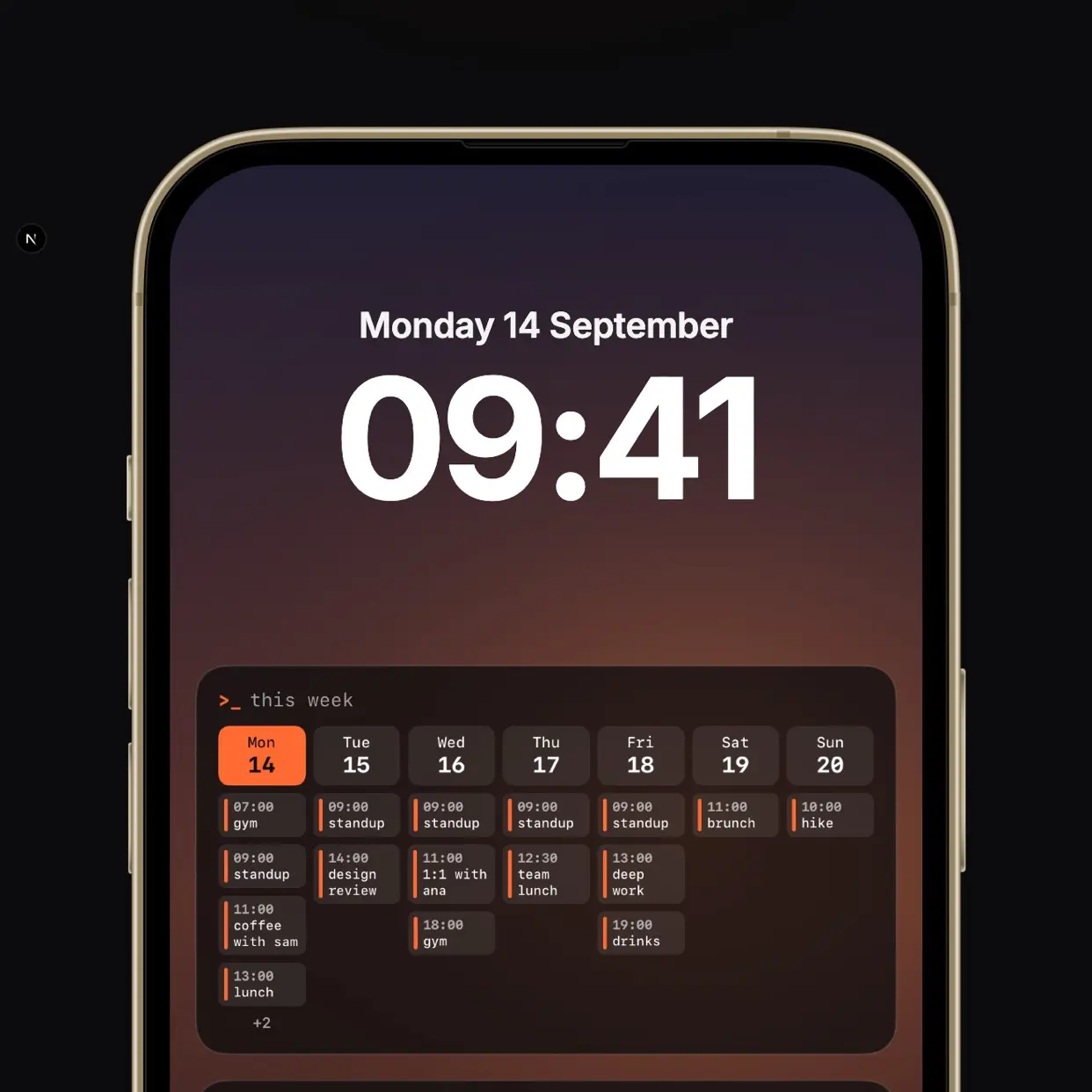
- Draw the week’s events and todos onto your lock screen wallpaper with a Shortcut, plus a Quick Add widget that opens straight into the command bar
Privacy and catches
The developer says ProUser works offline, needs no account and collects nothing, and the App Store privacy label reads Data Not Collected. The App Store page shows no in-app purchases or subscriptions.
The main catch is compatibility. ProUser requires iOS 26.0 or later, so iPhones that cannot run that version are left out. The app is small, at 2.1 MB, and it is new, with no ratings or reviews yet. The lock screen wallpaper feature also depends on a Shortcut that you set up yourself, though the latest update says Settings walks you through it step by step.
How to get it
- On an iPhone running iOS 26.0 or later, open the App Store and search for “ProUser Command Your Day”.
- Make sure the price shows Free, then tap Get.
- Open the app and type your first event into the command bar.
Apps you claim while they are free generally stay in your App Store purchase history, so you can reinstall later even if the price returns.
Who it suits
ProUser is aimed at people who live in their calendar and think faster than they tap. If you already like keyboard shortcuts or command lines on a computer, the approach will feel familiar. Readers in Canada and the US can download it at no cost while the offer lasts.