SELECT, a minimalist launcher for iPhone and iPad, is currently free on the App Store in Canada and the United States. New Mobile Life, an app deals site in Hong Kong, flagged it as a limited time free offer and reported an original price of US $0.99. The App Store listing does not state an end date.
There is a wrinkle worth knowing. The developer, Ryohei Horiuchi, says in the app’s privacy policy that every feature is free, with no in-app purchases, no subscriptions and no ads, and the version 1.2.1 notes on the App Store mention unlocking Pro features. So the free price may be permanent rather than a short promotion, but neither source says how long it will last.
What SELECT does
SELECT replaces scrolling through pages of icons with a home screen widget that shows only the apps you need right now. The developer says on the App Store that he has an ADHD diagnosis and built the app for his own daily routine first. The listing is clear that it is a daily efficiency aid, not a treatment.
Apps are sorted into five tabs: Receive (email, messages), Record (notes, photos, calendar), Communicate (social, calls), Settings and Enjoy (video, music, games). Other features listed on the App Store:
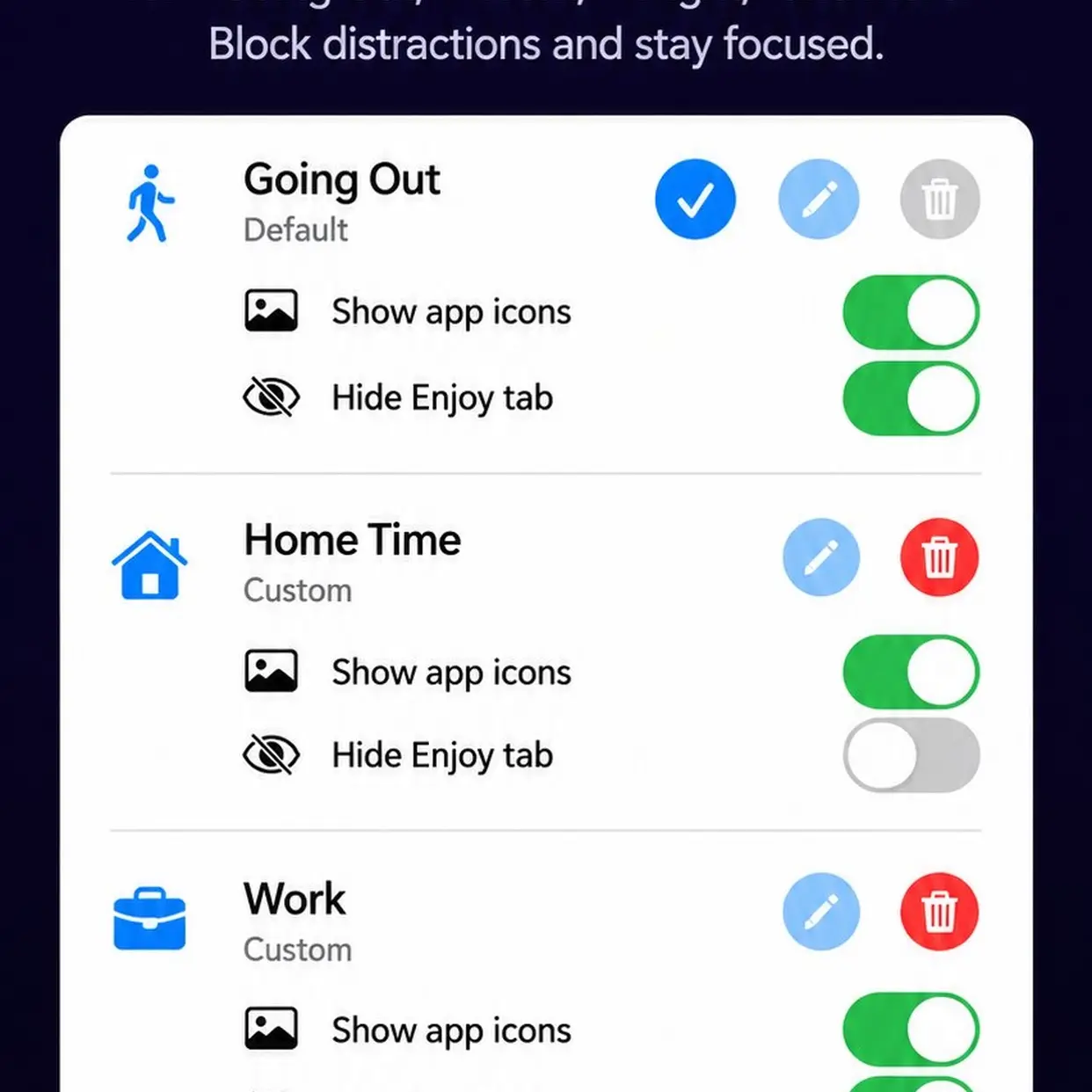
- Modes such as Out, Work and Night, each with its own set of apps
- An option to hide the Enjoy tab in a mode, so social and video apps stay out of sight during work
- A text mode that hides icons for a plain list
- Tapping a tile opens the target app through Shortcuts, without SELECT itself appearing on screen
- Bulk delete, move and copy, folders, and iCloud sync across your Apple devices
- Light, dark or match device widget colours, designed to stay readable with the tinted home screen in iOS 18
Privacy
According to the listing and the privacy policy, SELECT collects no personal information and contains no analytics or ad SDKs. Your setup is stored on the device. When you add an app, SELECT sends only the words you typed to Apple’s public iTunes Search API to find it.
How to get it
- Open the App Store and search for “SELECT Minimal pick launcher” from developer Ryohei Horiuchi.
- Confirm the price shows Free, then tap Get.
- Add the large SELECT widget to your home screen and set up your tabs and modes.
The app needs iOS 17.0 or later and is a 4.1 MB download.
Who it suits
SELECT is for people who feel overwhelmed by a crowded home screen or lose time hunting for apps. The App Store page notes that the average iPhone home screen has 80+ apps, and that clutter is what SELECT targets. It has no ratings yet, so treat it as a small independent project. Readers in Canada and the US can get it at no cost right now.