ShiftFlow: Rotation Calendar is listed as Free on the App Store, including the Canadian store page. The tip site New Mobile Life (流動日報) reported it as a limited time free offer and gave a usual price of US $0.99.
The app is made by the developer PengPeng Li and sits in Productivity. It is for iPhone only, needs iOS 17.0 or later, takes up 6.8 MB and has an age rating of 4+. The interface comes in 10 languages, including English, French and Spanish.
How do you build a shift rotation?
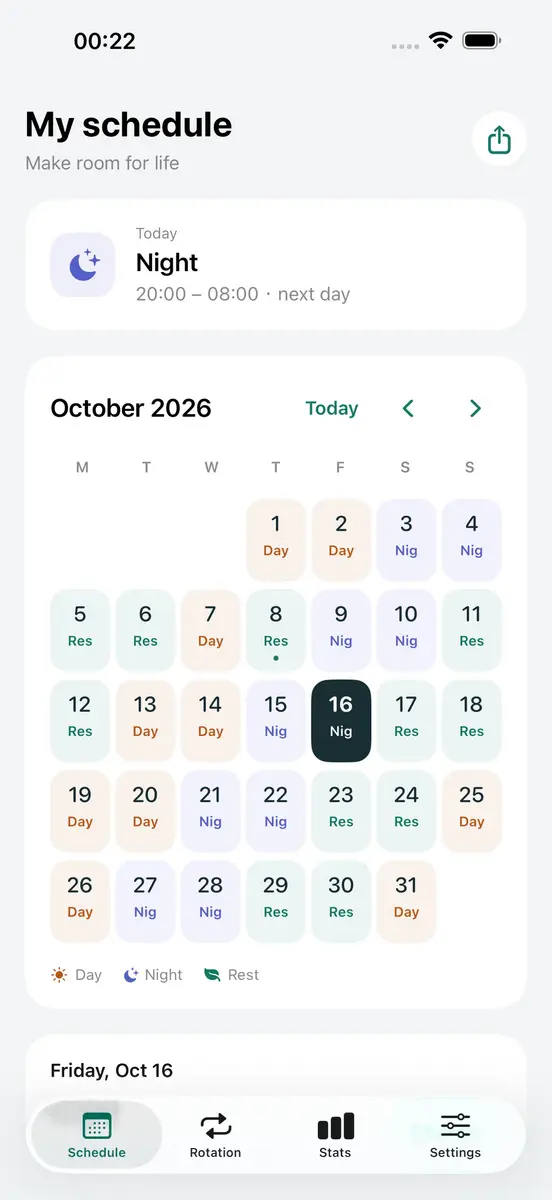
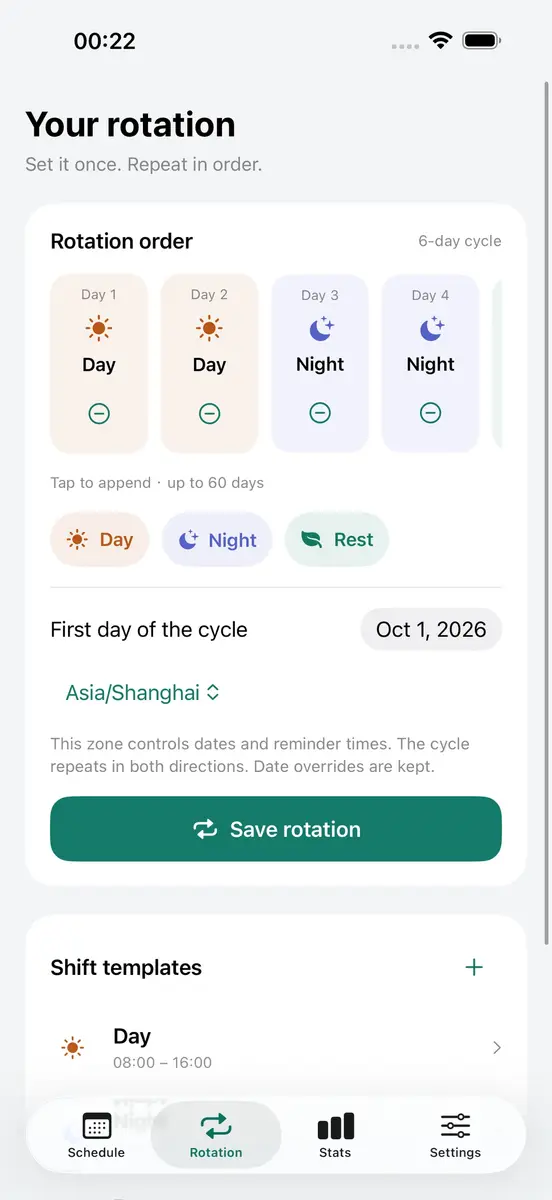
ShiftFlow is an offline calendar for repeating work shifts. You list your shifts in order, pick a first date and save. According to the App Store page, the setup works like this:
- Add shifts in sequence, for example day, day, night, night, rest, rest
- Create up to 20 shift types and rotations of up to 60 days
- Set an explicit schedule time zone
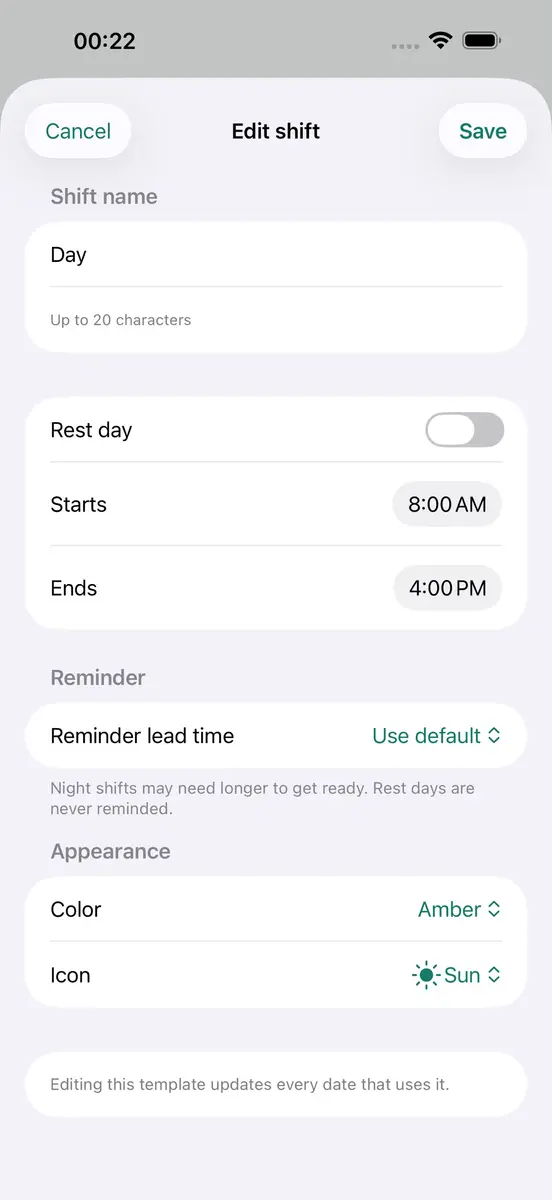
- Enter overnight shifts, since shift times support work that runs past midnight
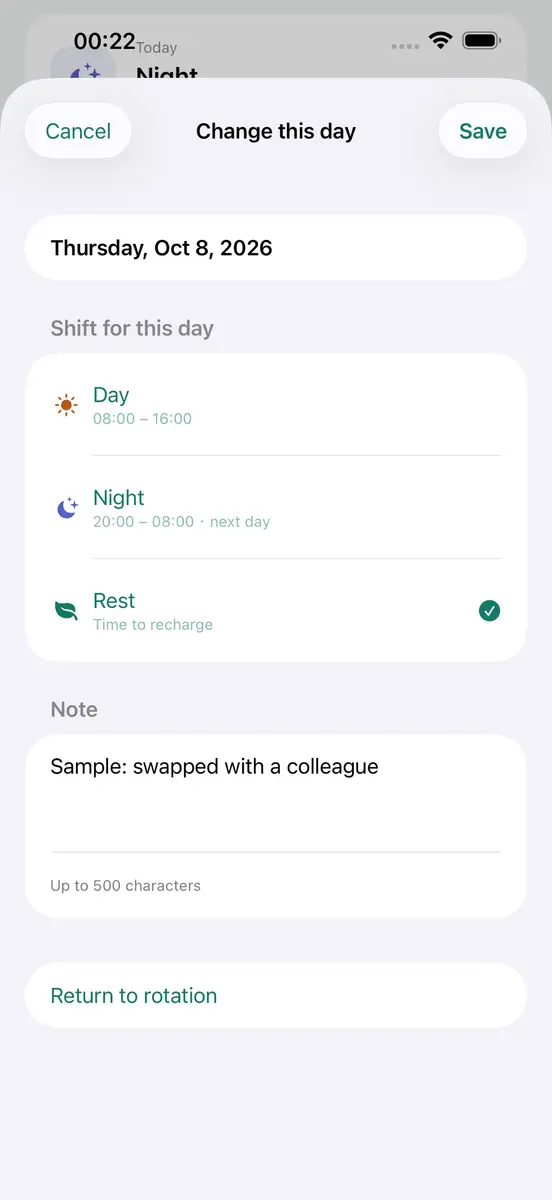
- Tap a date to enter shifts across consecutive days; each choice moves on to the next day
- Add a note to a date, or return it to the rotation
The developer’s support page says the pattern repeats in both directions, so past dates follow the cycle as well, and that changes made to a single date can be removed with a “Return to rotation” option.
What reminders, statistics and widgets are included?
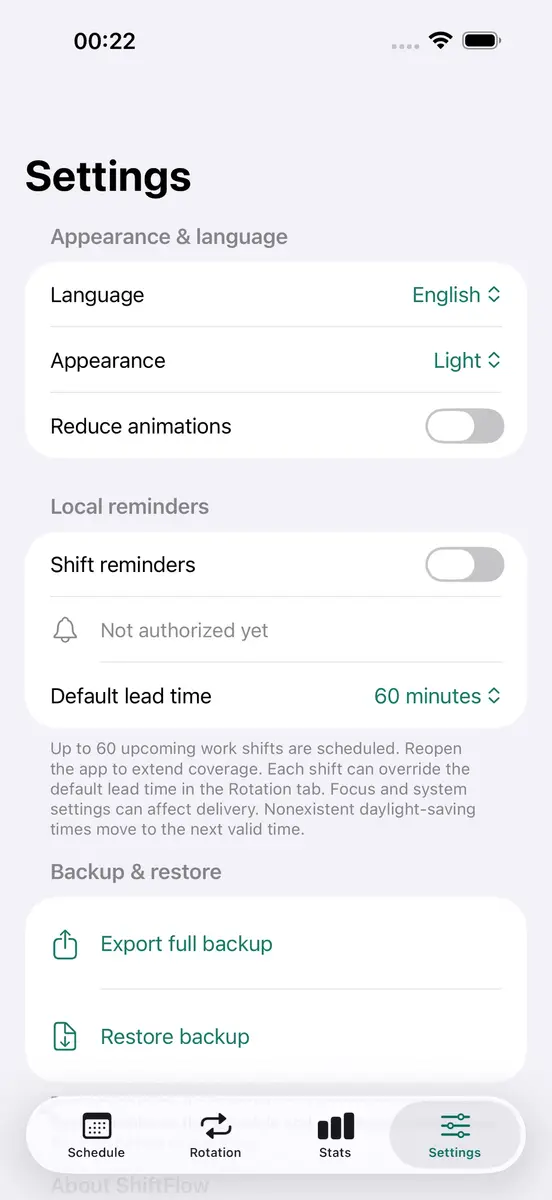
Local reminders can be set for each shift: at the start, 15, 30, 60 or 120 minutes before, or at a chosen time on the same day or the previous day. Reminders cover up to 60 upcoming work shifts, so you reopen the app to extend coverage. The developer warns that iOS permissions, Focus and system settings can affect delivery.
The statistics screen counts shifts, work hours, workdays, rest days and unassigned days by month, year or a custom period. It does not calculate wages. Home Screen and Lock Screen widgets show your rotation at a glance, and you can share an image of the month’s schedule when you need to tell someone your plans.
Where is the data stored, and what about ads?
The listing says no account is required and that shifts and notes stay on your device. You can export a complete JSON backup, and restoring keeps a copy of the previous file. The app offers light and dark appearance, larger text and reduced animations.
There is a catch to check before you install. The developer’s privacy page says that starting with version 1.3, some users see Google AdMob ads, which may process device identifiers, IP addresses and ad interactions. It adds that schedules and notes are not used for ad targeting. The App Store listing says the app contains advertising and, in a section Apple has not verified, lists identifiers as data that may be used to track you. Cross-app tracking requires iOS tracking permission, and the app remains usable if you decline.
How much does ShiftFlow cost, and where can you get it?
The current store price on the official App Store page is Free, and the Canadian page shows the same. New Mobile Life reported a usual price of US $0.99. The pages do not give a Canadian specific price for the paid version.
No source gives an end date, so the offer can end at any time. To get it, open the App Store on an iPhone running iOS 17.0 or later, search for ShiftFlow: Rotation Calendar and tap Get.
Who does it suit?
Rotating day and night crews. The rotation builder is made for patterns such as two days, two nights and two rests, and it shows workdays, nights and days off in one calendar.
People who work overnight. Shift times support overnight work, and reminders can fire the previous day or well ahead of the start.
Anyone who wants hours without wages. Monthly and yearly counts of shifts and hours are useful for a personal record, though the developer notes there are no wage calculations.
Who should skip it. The developer describes entries as personal plans and tells users to check their employer’s official roster, so it is not a replacement for a work schedule. People who want an ad free app, who use Android or an iPhone older than iOS 17.0, or who need wage tracking should look elsewhere.
What is still unknown?
No end date for the free offer has been given, and the app does not have enough ratings for Apple to show a summary. The developer has not indicated which accessibility features it supports. It is also unclear how often the ads appear, since the privacy page says only that some users see them.