Duet: PDF Reader, an app from developer Conscious Engines, is showing as free on the App Store right now. A Hong Kong mobile news site that spotted the offer says the app normally costs US $0.99, and neither Apple’s listing nor the developer says when the free price ends.
We checked the listing on both the US and Canadian App Store pages, and both show the price as Free at the time of writing.
What Duet does
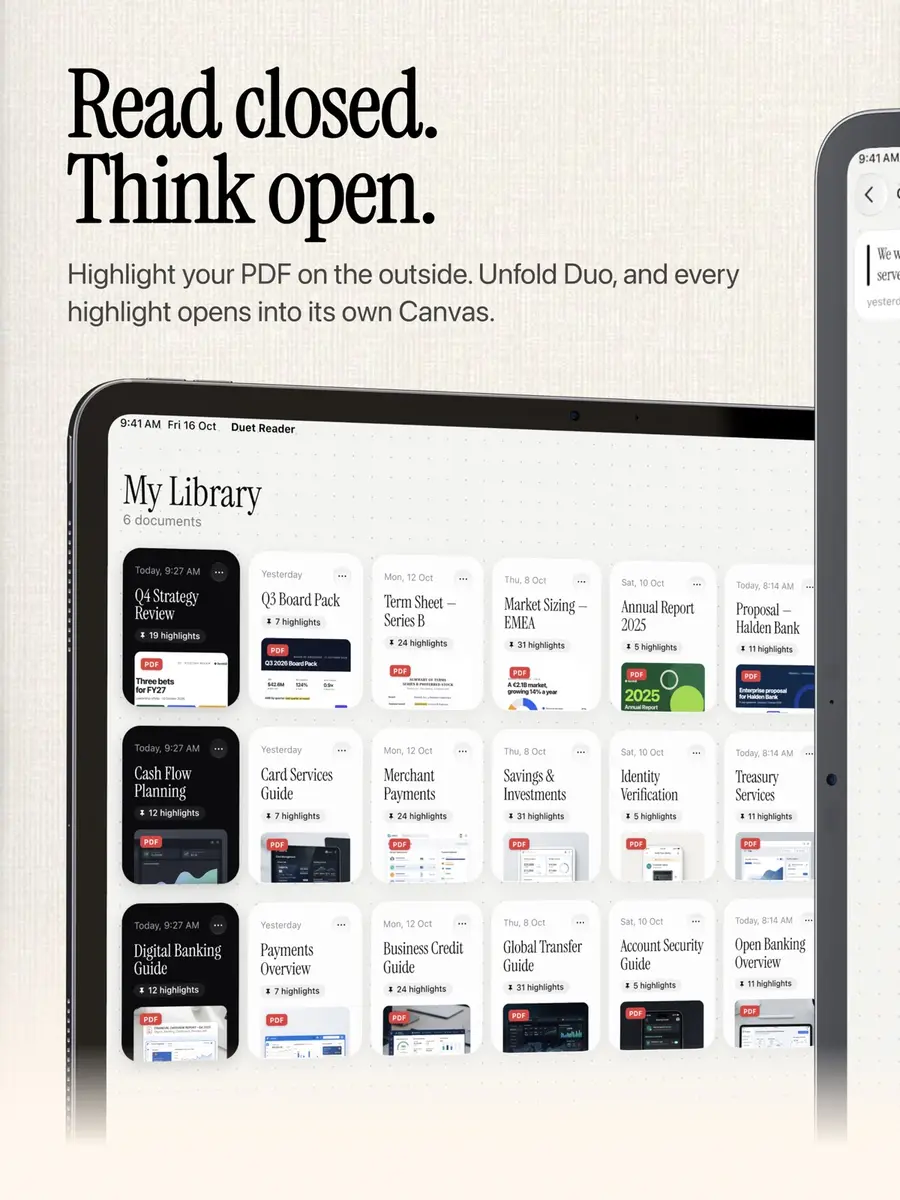
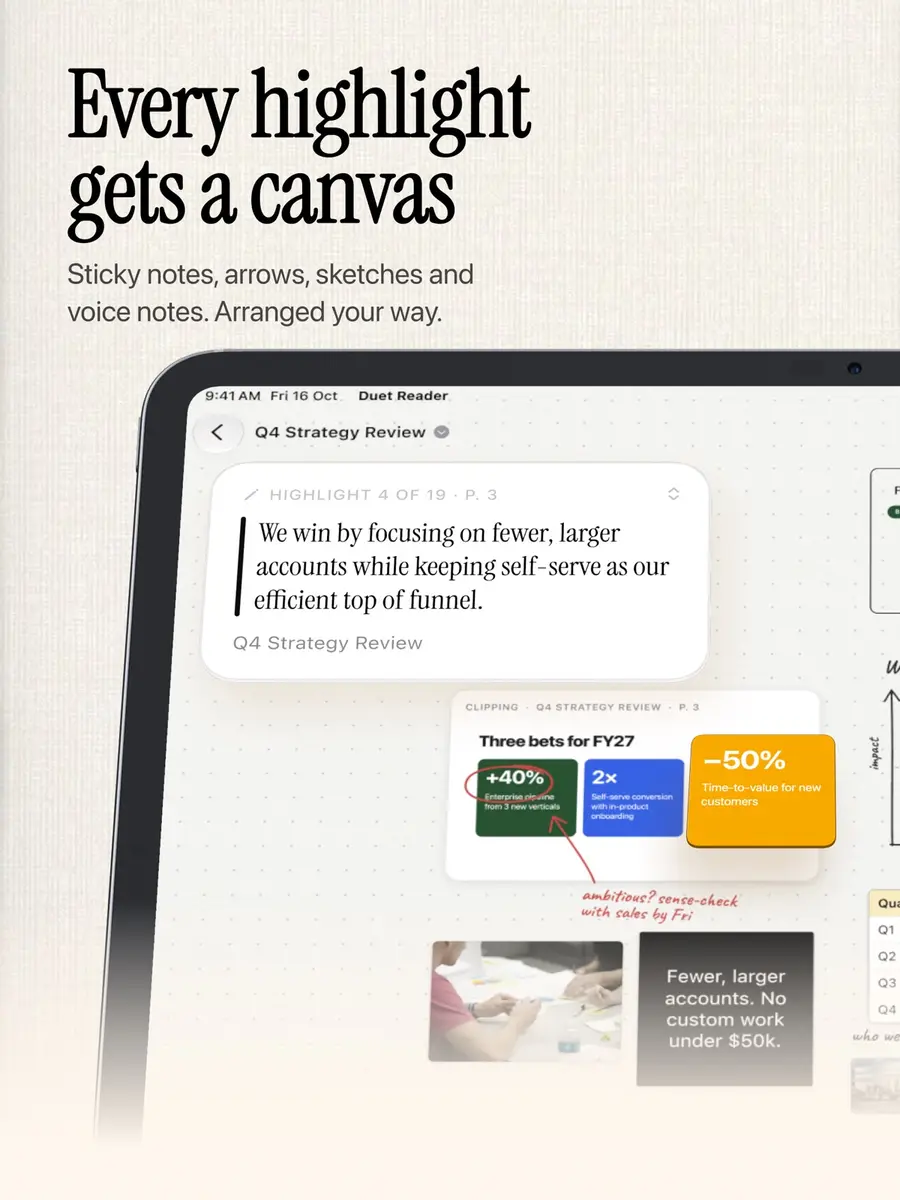
Duet is a PDF reader built for people who read in order to make a decision. When you highlight a passage, it becomes a card on a Canvas next to the page, linked back to where it came from. You can group cards, connect them with arrows and shapes, add sticky notes, lay out numbers in tables, drop in photos and draw with a finger, or with Apple Pencil on iPad.
Voice notes are recorded and transcribed on the device, so they can be searched. The app also reopens a document on the line where you left off.
According to the listing, you can ask questions about a passage, a card or a group of cards, and pin the answer to the Canvas. Answers come from your document and show the pages they came from. This uses Apple Intelligence on the device, so it works without an internet connection, and your document stays with you. For larger questions across a whole report, you can switch on Apple’s Private Cloud Compute in Settings, which is used only when you are online. These features need a device that supports Apple Intelligence.
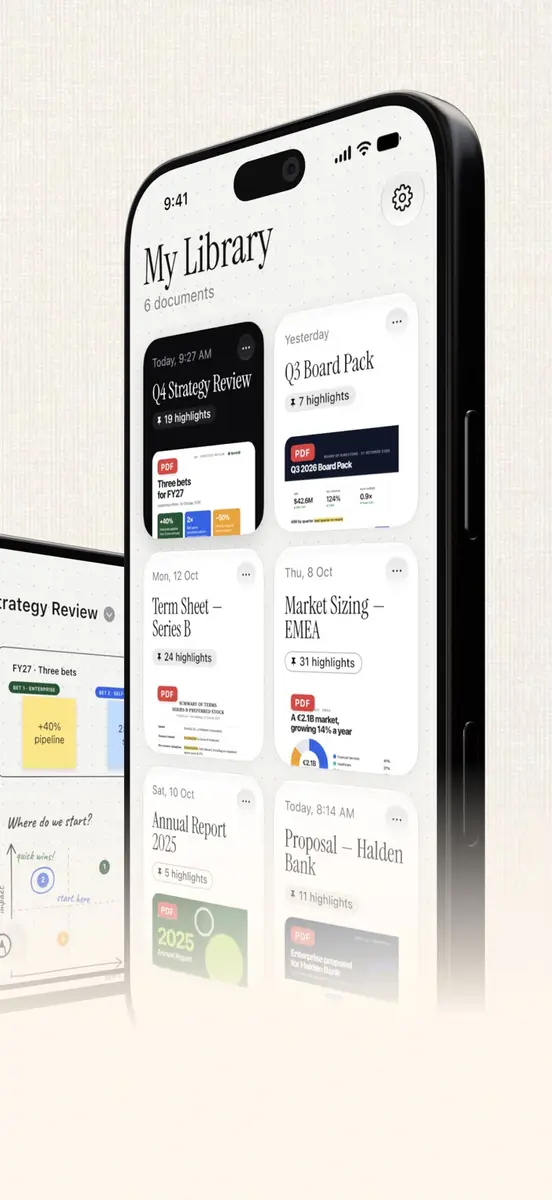
Other features include Home Screen and Lock Screen widgets, six colour themes, and a library that shows each PDF’s page count and highlight count. You can import files from Files, Mail and Safari. The developer’s site describes the app as made for iPhone Duo, iPhone and iPad.
What to check first
- The listing says the app requires iOS 27.0 or later on iPhone and iPadOS 27.0 or later on iPad.
- The download size is 22.6 MB and the interface is in English.
- The developer says it collects no data from the app. Apple notes that this information has not been verified by Apple.
- The listing describes the app as a one-time purchase with no subscription, no account and no ads.
How to get it
- On your iPhone or iPad, open the App Store and search for Duet: PDF Reader, or open the official listing linked from the developer’s site, duetreader.app.
- Confirm the price button still says Get and the price is Free.
- Tap Get and confirm with your Apple Account.
What it means for you
If you read board packs, research papers, contracts or lecture notes on an iPhone or iPad, this is a no cost way to try a reader built around notes. Because the end date is not stated, the free price could change at any time. If the listing shows a price when you open it, the offer has ended. The app has only been out since October 19, with version 1.1 following on October 20, and the listing shows too few ratings to give an overview yet.