Cart Budget Calculator, an iPhone app that shows how much of your shopping budget is left before you reach the register, is free on the App Store right now. The tip that pointed us to it, from the app news site New Mobile Life, says the regular price is US $0.99. Neither Apple’s listing nor that report gives an end date for the free price.
Is Cart Budget Calculator really free, and for how long?
Yes, at the time of writing. Apple’s App Store listing shows the price as Free, and the Canadian App Store listing reads the same way. New Mobile Life, which reported the offer on October 29, says the app normally costs US $0.99 and is free for a limited time.
What nobody states is when the free price ends. Treat it as something that can change at any time, and if you want the app, download it now rather than later. Canadian dollar pricing is not given by either source.
What does the app do?
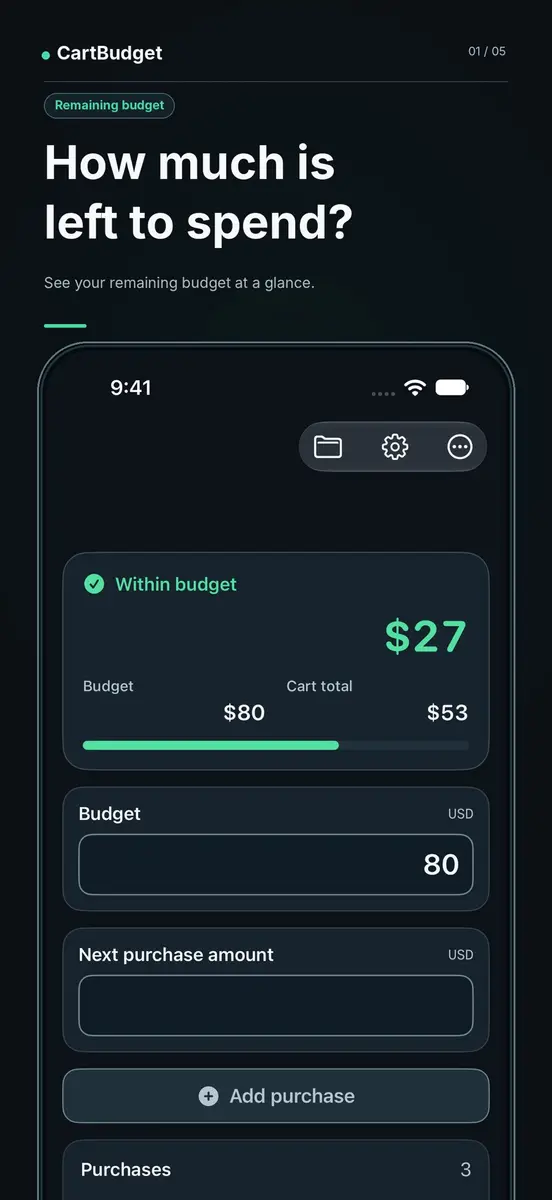
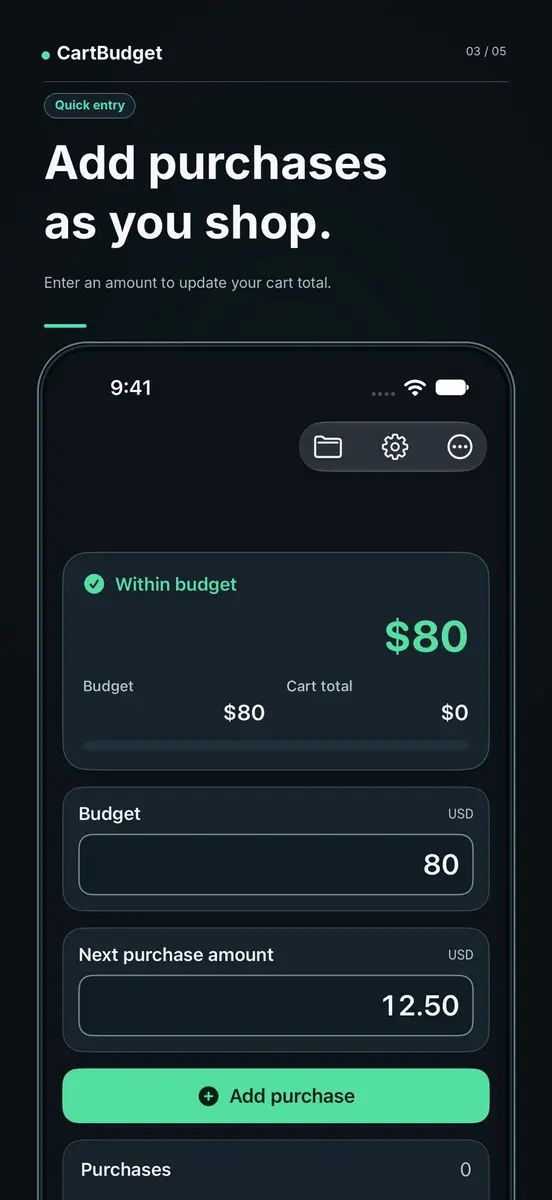
According to its listing, the app has one job: show what you can still spend before checkout. You set a shopping budget, then add the price of each item as it goes into your cart. The remaining amount updates after every entry, so you can see whether the next item still fits. The developer, Makoto Fukuoka, pitches it for groceries, household shopping, gifts or any trip where you want a hard spending limit.
The listing is just as clear about what it leaves out: no bank connection, no expense history and no finance dashboard. In the privacy section, which the developer filled in and Apple says it has not verified, the developer states that the app does not collect any data.
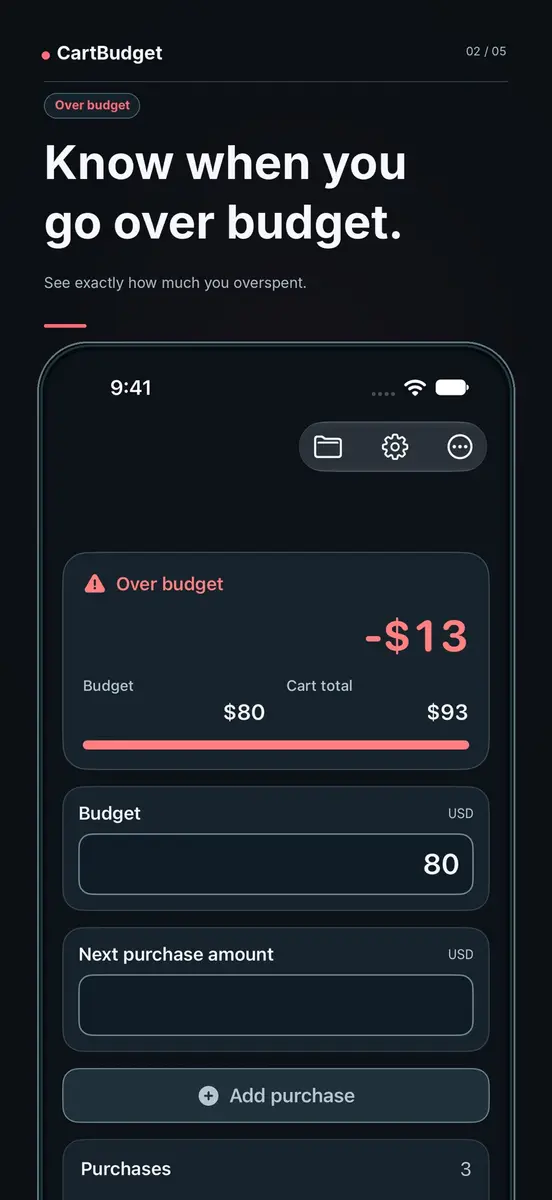
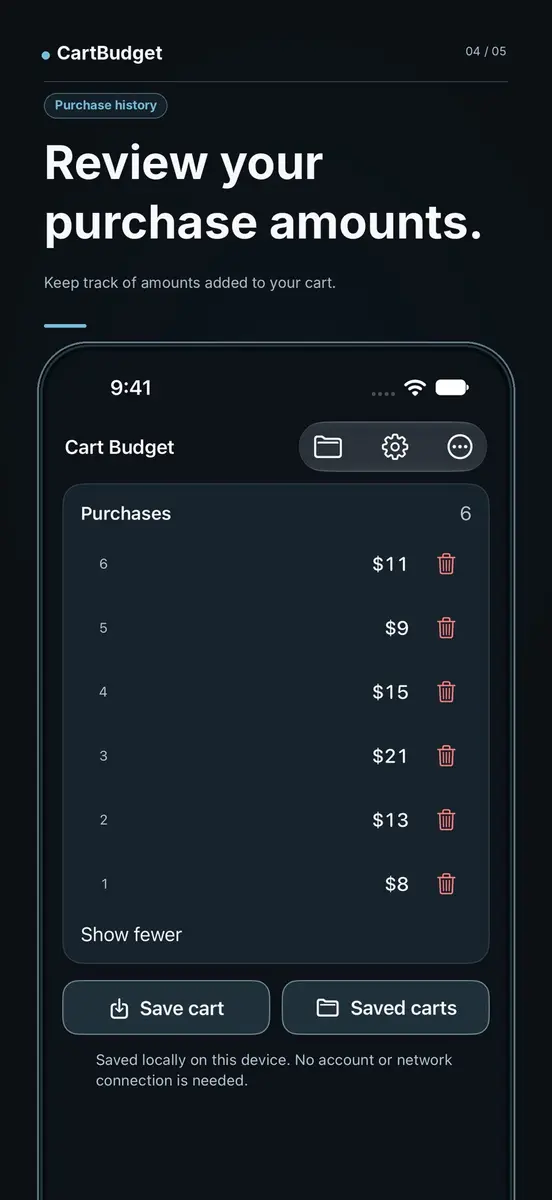
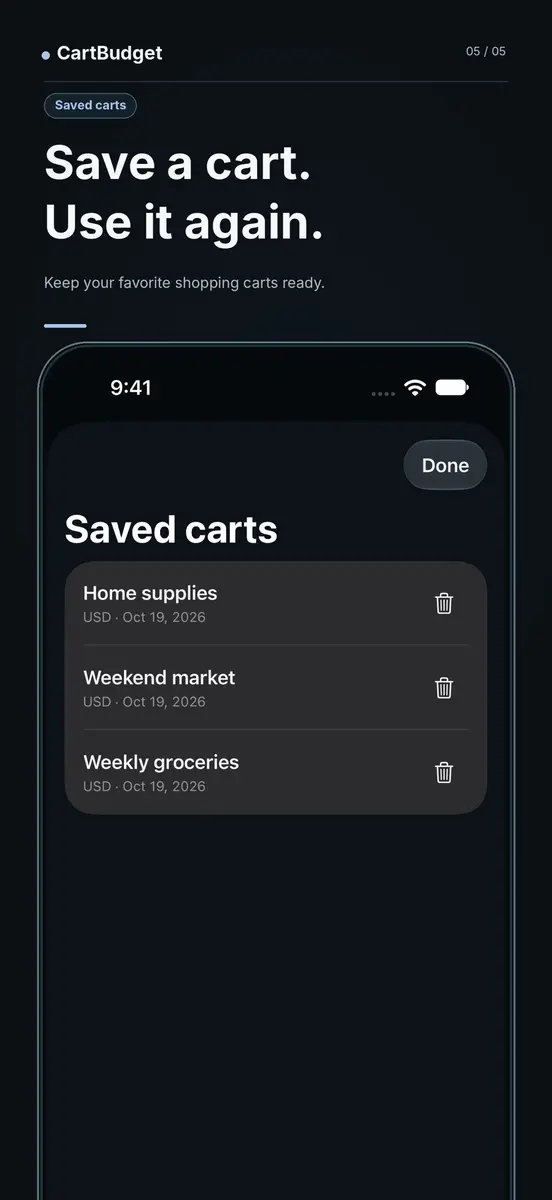
The five screenshots on the listing show the idea well. One has a budget box, a box for the next purchase amount and an Add purchase button, with a status card that reads Within budget and the amount left. Another shows an Over budget state with a negative figure once the cart total passes the budget. A third lists the purchases you have added, and a Saved carts screen lets you keep a cart, such as a weekly grocery list, and reuse it. A caption on that screen says saved carts stay on the device and need no account or network connection.
What do you need to run it?
- Platform: iPhone, with iOS 18.0 or later. The listing labels it Designed for iPhone and says it is not verified for macOS.
- Other Apple devices: the listing says a Mac needs macOS 15.0 or later with an Apple M1 chip or later, and Apple Vision needs visionOS 2.0 or later.
- Size: 7.3 MB.
- Age rating: 4+.
- Languages: English plus 51 more, including French, Spanish, Punjabi, Traditional and Simplified Chinese, Japanese, Korean and Vietnamese.
Prices
- Offer: Free on the App Store, at the time of writing.
- Regular price: US $0.99, according to New Mobile Life.
- Canada: the Canadian App Store listing shows Free. No Canadian dollar regular price is given in the sources.
- End date: not stated by Apple’s listing or by New Mobile Life.
Prices can change at any time. Apple’s support pages explain that apps can offer in-app purchases and that you can check for an In-App Purchases note near the price or Get button, so look there before you download.
How do you get it?
Open the official App Store listing on your iPhone, tap Get and confirm the download. Apple’s support page on purchase passwords notes that you may be asked for your password even for free items, and explains how to change that setting if you prefer. Use only the App Store for this download.
Who it suits
Grocery and household shoppers with a fixed amount to spend. Typing in each price as it goes into the cart and watching one number shrink is the whole idea, and it needs no setup beyond the budget.
People buying gifts. A hard limit is easier to keep when you can see the remainder after every item, and the Over budget state makes it obvious when one more item crosses the line.
Readers who prefer apps that keep little data. The developer says the app collects no data and does not link to a bank. The app has too few ratings for Apple to show a review overview yet, so there is no crowd feedback to lean on.
Anyone wanting a full budgeting tool. This is not one. It keeps no expense history, and the listing does not say how sales tax is handled, so enter the prices you will actually pay. The developer lists another app, Discount Stack, aimed at tax and real checkout price. Check the price on the listing before you tap Get.