Photos 2 PDF Pro, an app for iPhone and iPad that turns photos and documents into PDF files, is listed as free on the App Store on November 5, 2026. The tech site New Mobile Life puts the usual price at US $0.99 and calls the free offer limited time.
The app comes from developer Mikolaj Adamowicz and does one job: it makes a set of photos or scans small enough to send by email or a messaging app. The App Store listing shows a 5.8 MB download that needs iOS 17.0 or later.
What does Photos 2 PDF Pro do?
According to the App Store listing, the app covers these tasks:
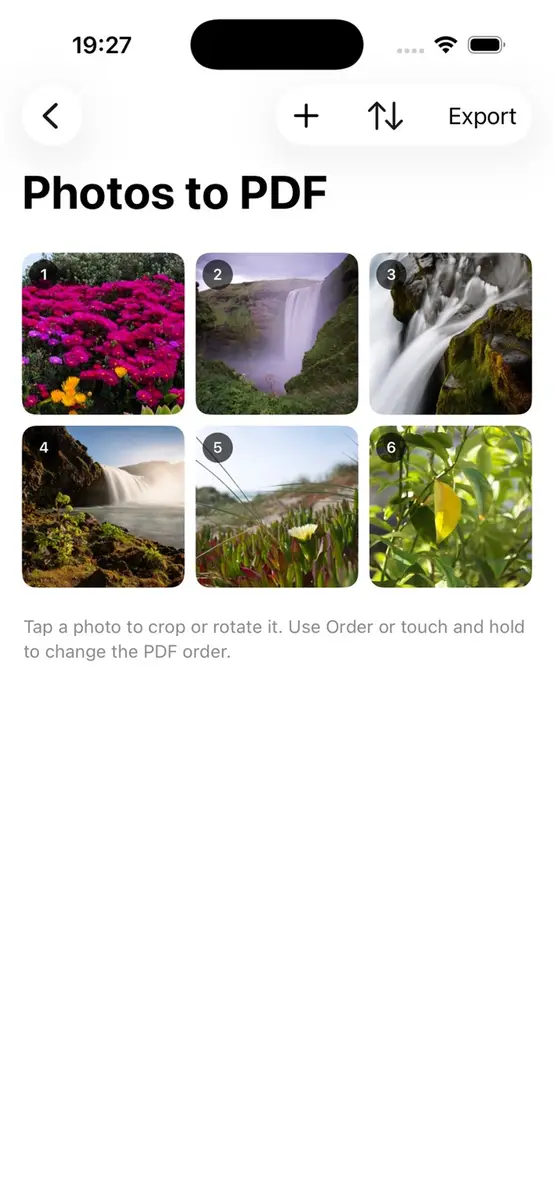
- Combines images from your photo library into one PDF
- Lets you crop, rotate and sharpen each photo before export
- Adds a frame style such as a thin border, rounded frame, shadow or torn edge
- Reorders pages before the PDF is created
- Converts Word, PowerPoint, Pages, text, web and image files to PDF
- Sets paper size, orientation and how many photos or pages sit on each PDF page
- Shows a preview, then sends the PDF by Mail or Messages or saves it to Files
- Accepts photos and documents from other apps through the share sheet
How does it make a PDF smaller?
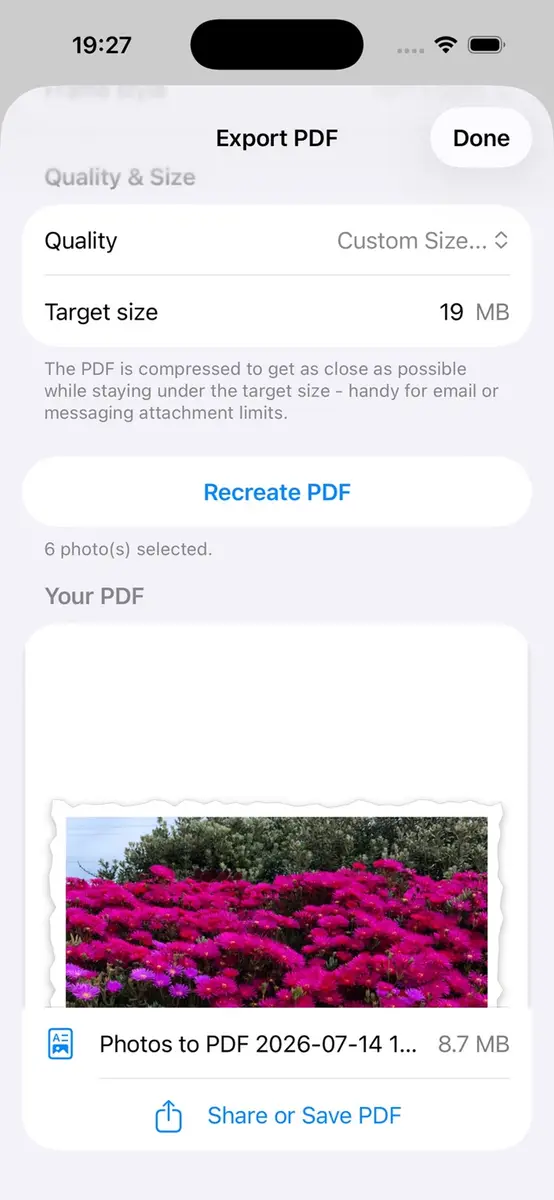
File size control is the main pitch. The developer says you can pick a quality preset or set a custom target size, such as 19 MB, to stay under email and attachment limits.
The listing screenshots show this setting: a Custom Size option with a 19 MB target and a note that the app compresses the PDF to land as close as possible to the target without going over. That is the developer’s description of how it works, and the listing does not yet show enough ratings or reviews to give an overview of how well it performs.
Which devices and languages does it support?
The listing gives these requirements:
- iPhone: iOS 17.0 or later
- iPad: iPadOS 17.0 or later
- Mac: macOS 14.0 or later with an Apple M1 chip or later (the page header also says “Designed for iPad. Not verified for macOS”)
- Apple Vision: visionOS 1.0 or later
The app is in the Utilities category with an age rating of 4+. The description lists English (UK), English (US), Chinese, Hindi, Spanish, Arabic, French, Bengali, Portuguese (Brazil), Indonesian, Urdu, German, Japanese, Nigerian Pidgin, Vietnamese, Turkish, Polish and Russian.
On privacy, the developer states that it does not collect any data from the app. Apple notes that this information has not been verified by Apple.
Prices
The App Store listing in the US storefront shows Photos 2 PDF Pro as free, with a price of 0 US dollars. New Mobile Life says the app normally costs US $0.99. The listing itself does not mention a promotion, and neither source gives an end date for the free period.
The sources do not state prices in any other country or currency. Because storefront prices differ by region and can change at any time, check the price shown on your own device before you tap to download.
Who it suits
Students and parents who need to send school forms, permission slips or homework photos can use the size limit setting to avoid bounced emails.
Office workers and freelancers who pass around receipts, forms, notes and presentations can convert Word, PowerPoint and Pages files and fix the page layout in one place.
People tidying photo collections can combine a trip or event into one PDF, put the pictures in order and add a frame style before sharing.
Anyone who wants a camera scanner should read the listing closely. It describes picking images from the photo library and importing files, and it does not mention scanning with the camera, so you may need another tool to capture pages first.
What is still unknown?
Neither source says when the free period ends or whether the price returns to US $0.99. Prices for storefronts outside the US are not given, and the app has too few ratings to judge it yet. The privacy statement comes from the developer and has not been verified by Apple.
Next step
Open the Photos 2 PDF Pro listing in the App Store on your iPhone or iPad, confirm that it still shows as free, and download it while the offer lasts. Then test it with a small batch of photos and a target size before you rely on it for important paperwork.