MyDeadline+, a calendar and planner app for iPhone, iPad and Apple Watch, is free on the App Store at the time of writing. New Mobile Life reported that it normally costs US $2.99 and that the free offer is for a limited time. No end date has been published, so the price can change at any time.
The App Store page lists it as a Productivity app of 22.1 MB. The developer says it needs no account, contains no ads and does not track you across apps. The latest update renamed the app from MyDeadline to MyDeadline+.
What does MyDeadline+ do?
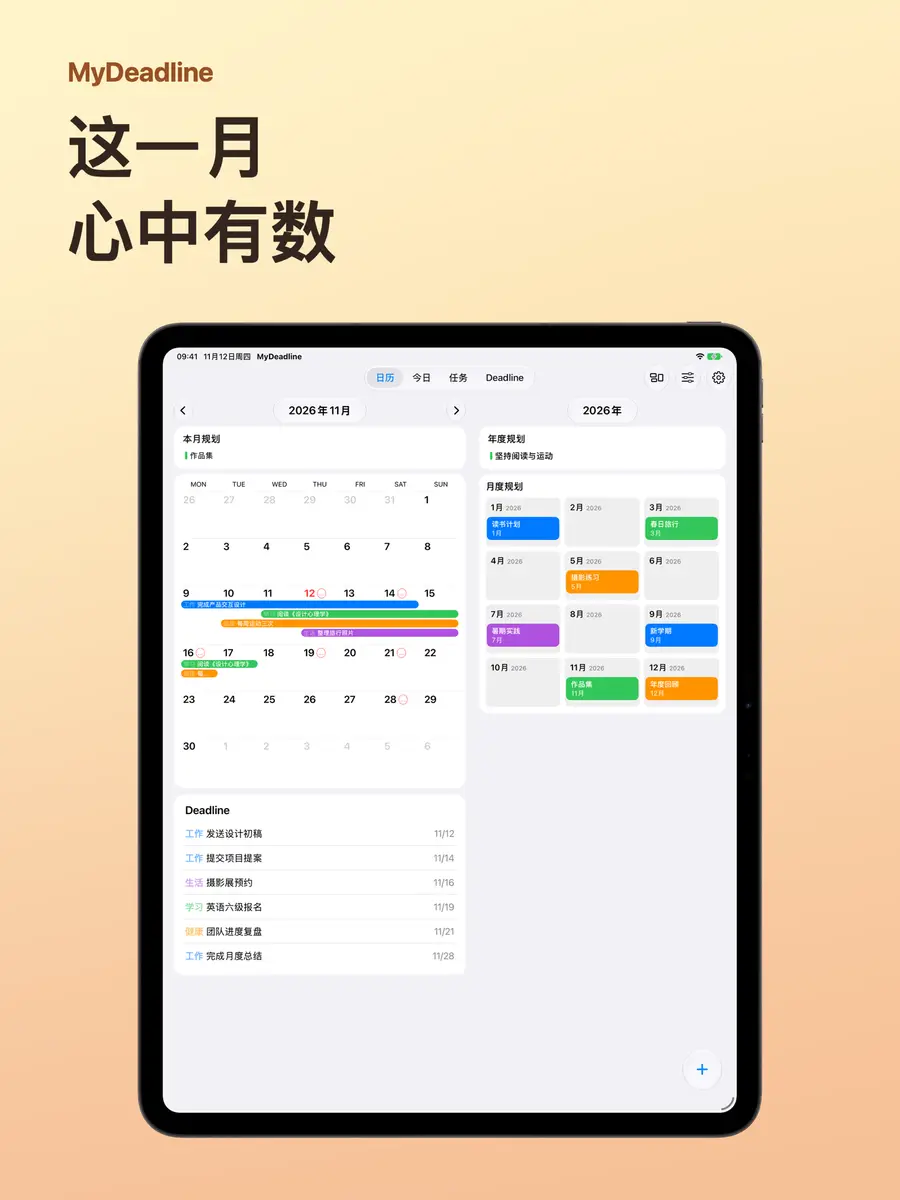
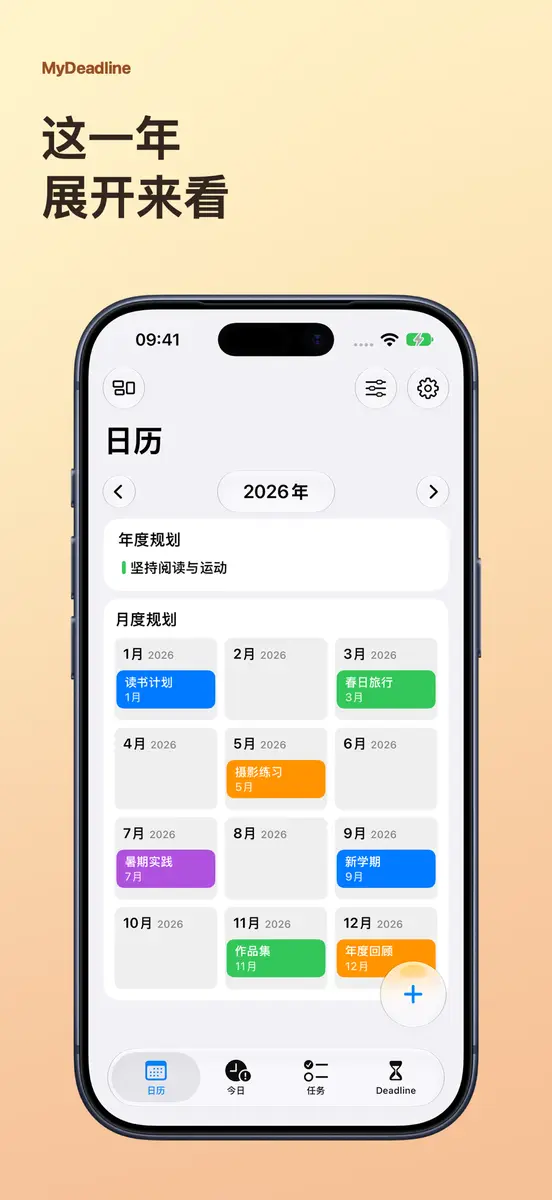
It puts daily tasks, deadlines and long-term plans on one calendar, so you can see what is coming while keeping bigger goals in view. According to the App Store listing, you can:
- Create single-day deadlines, multi-day tasks, monthly plans and yearly plans
- Swipe on the calendar to add single-day items and multi-day tasks
- Sort everything into custom groups, categories and colors
- Archive past items automatically to keep the current schedule clear
- View the month and year side by side on wider screens such as iPad
- Use widgets, daily notifications and item reminders
- Back up, import and export your data
What is new in the latest update?
The listing describes a feature round for the 3.0 release, followed by version 3.1.0 a day or so before the story was published. Here is what the version history says:
- Voice editing that can create, update and delete items, which is optional and off by default
- Tasks and deadlines can be marked complete, and items from the previous day are marked complete automatically, though you can mark them incomplete again
- Specific times can be added to tasks and deadlines
- Category color swatches help you pick colors
- You can undo up to 15 previous actions
- Completed items now sit at the bottom of the Today and Day Details views
Which devices does it run on, and what about privacy?
The app supports iPhone, iPad and Apple Watch. It requires iOS 18.0 or later, iPadOS 18.0 or later and watchOS 11.0 or later, and the listing also shows visionOS support. iCloud keeps data in sync between iPhone and iPad, and the Apple Watch app shows today’s items, tasks and deadlines with basic editing.
On privacy, the developer states that voice editing is off by default. Audio and text needed for voice processing are sent only when you turn the feature on and use it, and voice creation is limited to 100 uses per month. Apple notes that the privacy details come from the developer and have not been verified by Apple. The version history also says the voice input verification service moved to Alibaba Cloud and the privacy policy was updated to match.
Prices
The app is free now. New Mobile Life gives the regular price as US $2.99, and the sources do not say when the offer ends. Prices on other country stores may differ, so check the price on your own App Store before you confirm.
To get it:
- Open the official MyDeadline+ page on the App Store
- Check that the button shows Free, not a price
- Download it while the offer lasts
Two catches are worth knowing. The interface is in English and Simplified Chinese only, and the page says the app has not yet received enough ratings or reviews to show an overview.
Who it suits
Students. Course deadlines, exam dates and project milestones fit the way the app mixes single-day deadlines with monthly and yearly plans. The developer pitches it at people organizing coursework and long goals.
Workers juggling many projects. Custom groups, categories and colors help separate work from personal items, and automatic archiving keeps the current view tidy. Version 3.1.0 also moves finished items to the bottom of the day view.
Apple Watch wearers. Checking today’s list and making basic edits from the wrist is built in, and widgets sit on the Home Screen. Everything syncs between iPhone and iPad through iCloud.
Anyone who dislikes sign ups. There is no account to create. If you read neither English nor Simplified Chinese, though, this one is not for you yet, since no other interface language is listed.