MyDeadline+, a calendar and planner app for iPhone, iPad and Apple Watch, is listed at Free on its App Store page, and the Hong Kong site New Mobile Life reports that its original price was US $2.99. The listing does not say the price is temporary, and neither source gives an end date, so treat the offer as one that can end at any time.
The app comes from a developer listed on the App Store as 伟韬 冯 (Weitao Feng in the copyright line). It sits in the Productivity category, weighs 21.9 MB and offers English and Simplified Chinese interfaces. The listing says it was renamed from MyDeadline to MyDeadline+ in its latest update.
What exactly is free?
The app itself. As of our check, the App Store page shows the price as Free, and the App Store data for the page also lists a price of 0 in US dollars. New Mobile Life puts the normal price at US $2.99 and calls the current price a limited time free offer. The App Store page does not repeat that claim, so the original price comes from New Mobile Life, not from Apple.
The listing mentions no account requirement, no ads and no tracking across apps. The developer says an optional voice editing feature is off by default. When you switch it on, audio and text needed for voice processing are sent for processing, and the listing says voice creation is limited to 100 uses per month.
Which devices does it run on?
The App Store header shows iPhone, iPad and Apple Watch. The compatibility list asks for these minimum versions:
- iPhone: iOS 18.0 or later
- iPad: iPadOS 18.0 or later
- Apple Vision: visionOS 2.0 or later
- Apple Watch: watchOS 11.0 or later
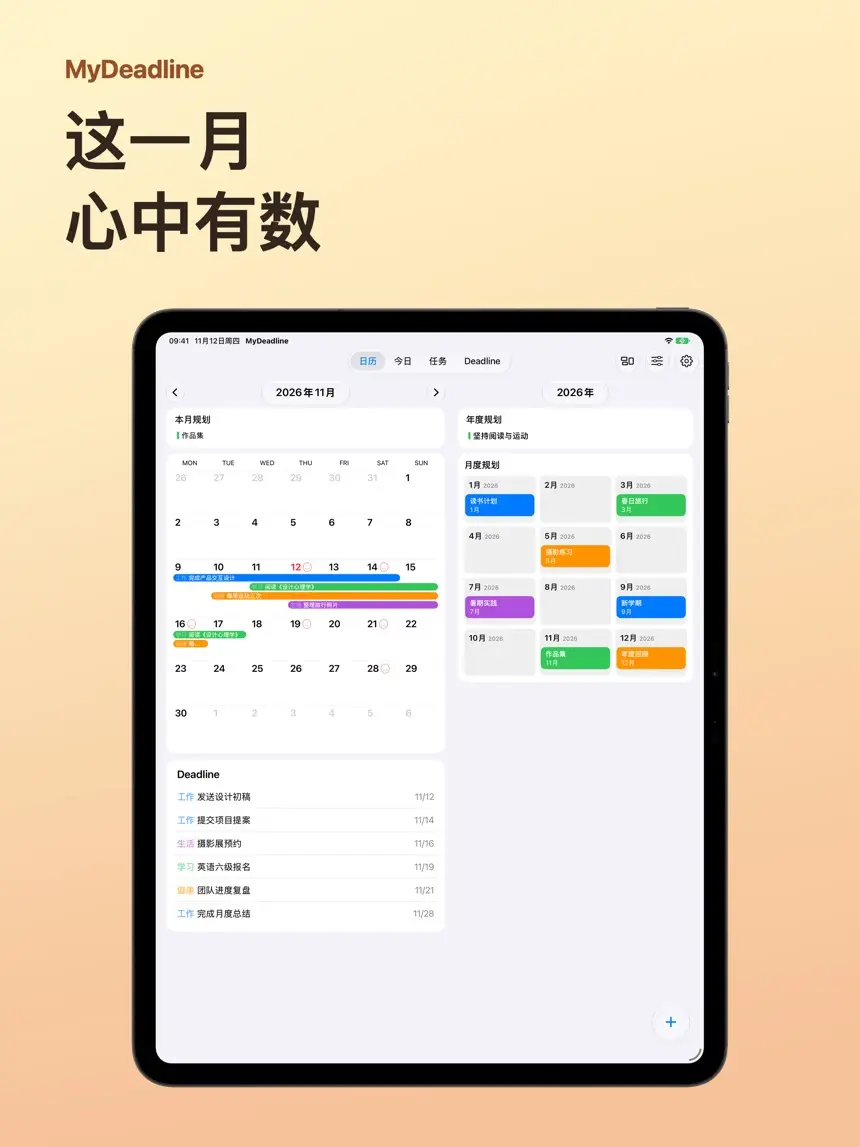
The description also says wide screens can show the month and the year side by side, “including iPhone Duo, iPad, and Mac”. The compatibility list does not name a Mac, so check the listing on your own device before counting on a Mac version.
What does MyDeadline+ do?
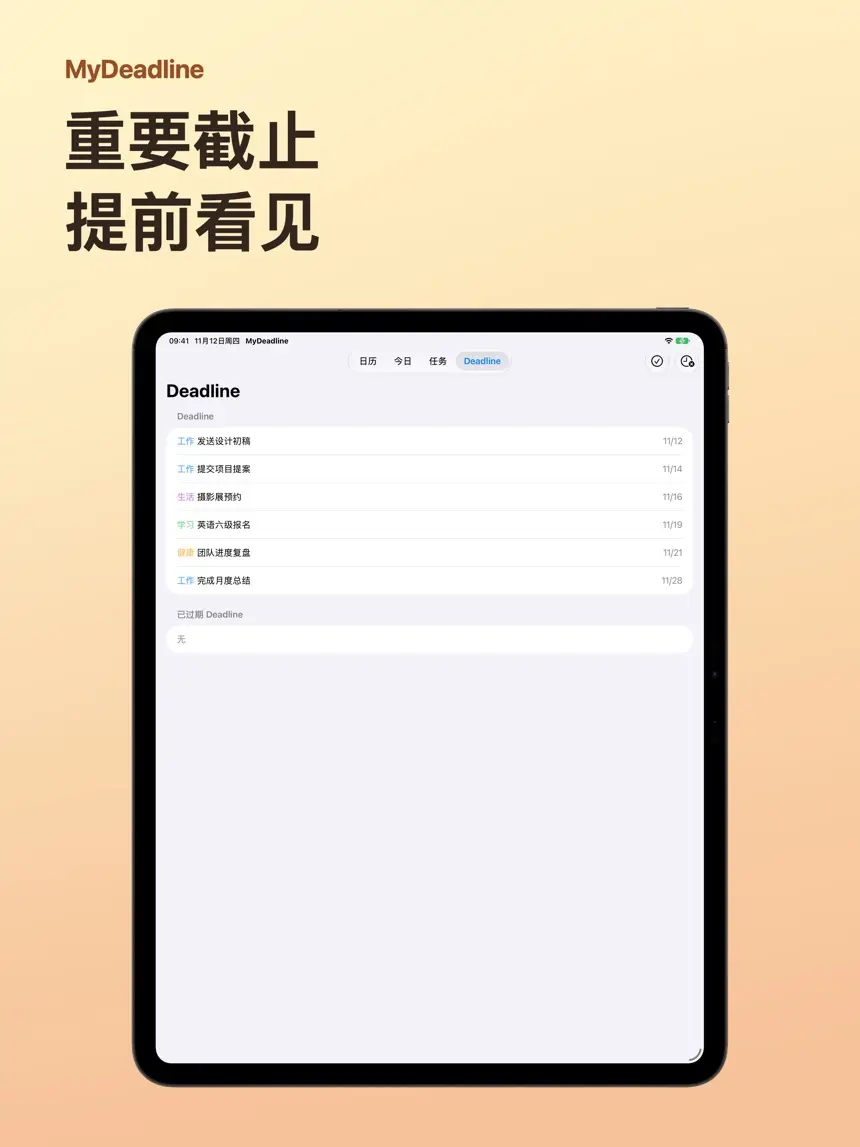
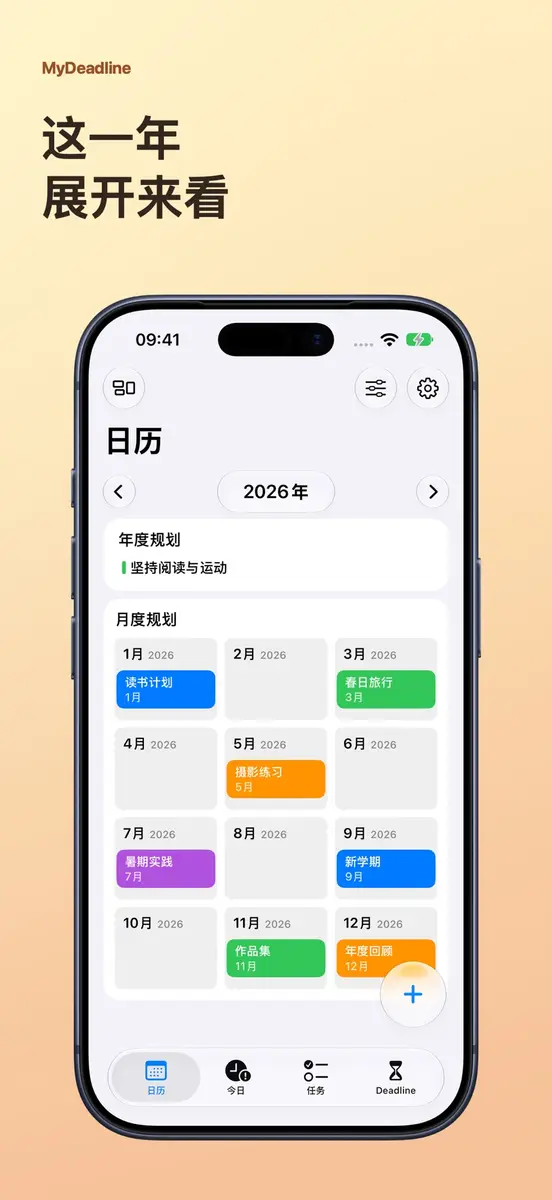
It puts tasks, deadlines and long range plans into one calendar. You can swipe to create single day items and multi day tasks, and you can keep monthly and yearly plans next to them. Groups, categories and colors are yours to define, and past items are archived automatically so the current view stays clean.
Data syncs through iCloud between iPhone and iPad. The Apple Watch app shows today’s items, tasks and deadlines and allows basic edits. The feature list also names daily notifications, item reminders, widgets, and backup, import and export of your data.
The latest update, which the listing describes as 26Q4, added agent style voice editing, category color palettes, task completion tracking and task time settings.
How do you get it?
Open the App Store on your iPhone or iPad, search for MyDeadline+ or follow the link in the sources below, and check the price shown on the button. The page we read is the US dollar listing, and the sources say nothing about the price in other currencies or countries.
Prices
The App Store listing shows Free. New Mobile Life gives the original price as US $2.99. No end date is stated by either source. No other currency or country price is given.
Who it suits
Students. The developer’s own examples are coursework, exam dates and project milestones. The side by side month and year view is meant for connecting a short deadline to a longer goal.
Anyone who dislikes accounts and ads. The listing says no account is needed, there are no ads and no cross app tracking, which keeps the setup simple.
Apple Watch wearers. You can check today’s list from the wrist and make basic edits, which helps if you want a glance without opening the phone.
Who should wait. If you need an Android or Windows version, the listing names only Apple platforms. If you rely on a Mac, confirm support first. Anyone who needs an interface in a language other than English or Simplified Chinese will not find one on the listing.
What is still unknown?
How long the free price lasts. Whether paid extras exist inside the app. Whether the original price was the same in every country. The developer has not said, and the listing does not answer these.
If it fits your routine, open the App Store listing and confirm the price shown there before you download.