MindCheck - Exam Mistake Notes, an iPhone and iPad app that turns marked-up test questions into clean printable practice sheets, is free on the App Store, and the Canadian listing shows a price of zero. The site New Mobile Life, which spotted the offer, gives the regular price as US $0.99 and calls it a limited-time deal.
The app is listed under the Education category from a developer named 琦 汪, and Apple’s page shows a small 10 MB download. It is aimed at students and parents who want to rework the questions they got wrong.
Is MindCheck free right now?
Yes. At the time of writing the App Store listing shows MindCheck as Free. Neither the listing nor the tip article gives an end date, so the length of the offer is unknown. App Store prices can change at any time, so download it now if you want it.
What does MindCheck do?
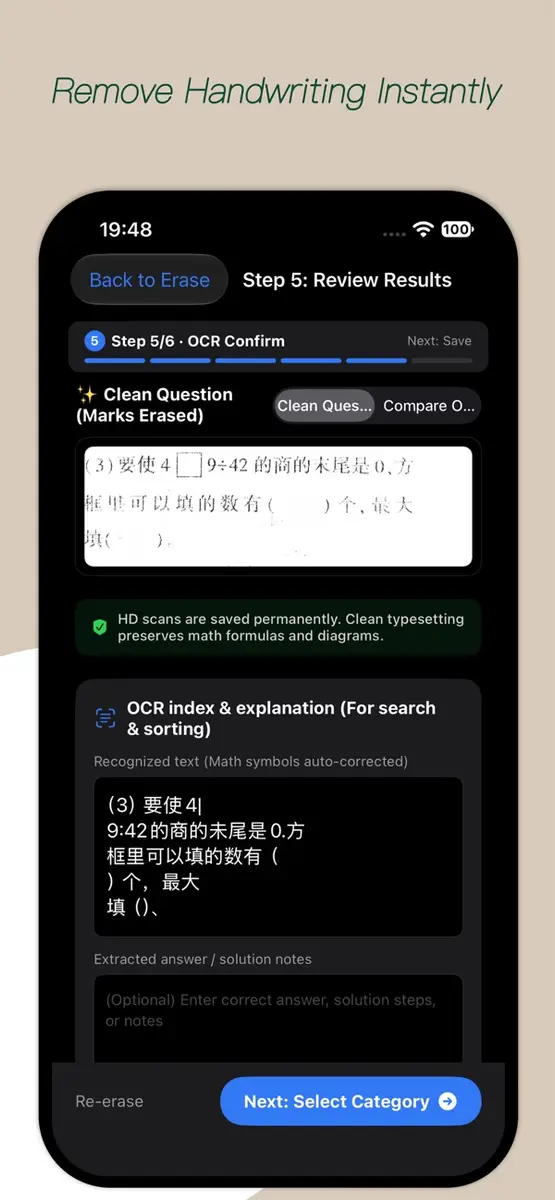
The idea is to turn a graded test paper into a fresh quiz. You photograph a question, wipe out the handwriting and print it again with room for a new answer.
According to the App Store listing, the main features are:
- Handwriting removal. One tap cleans up pencil or pen answers and red grading marks, while formulas, geometric diagrams and tables are kept crisp.
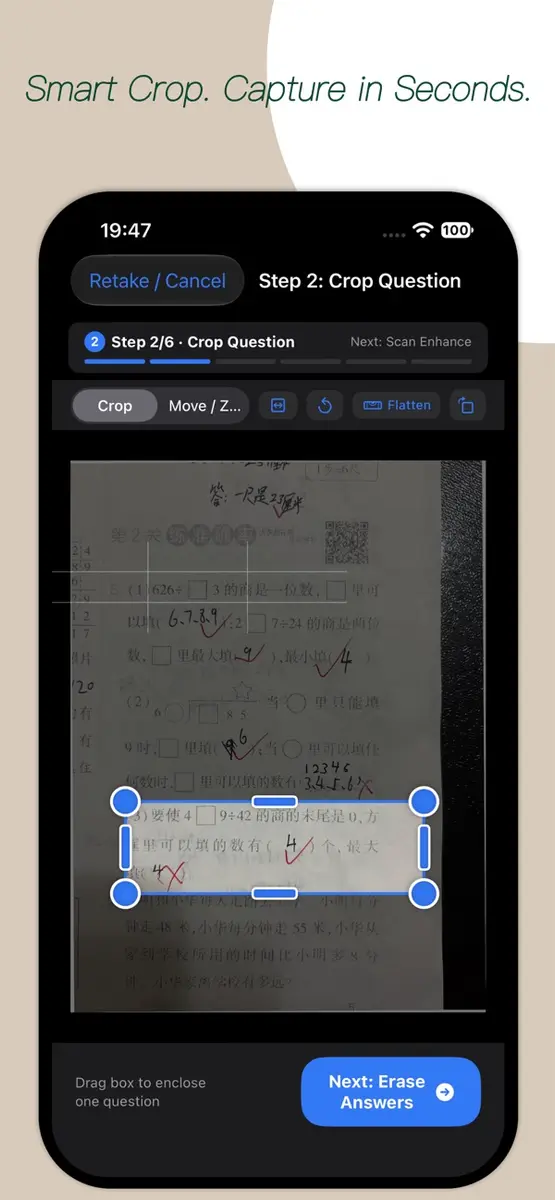
- Snap and frame. You crop each question from a photo with automatic edge straightening, and built-in text recognition indexes the questions so you can search and sort them.
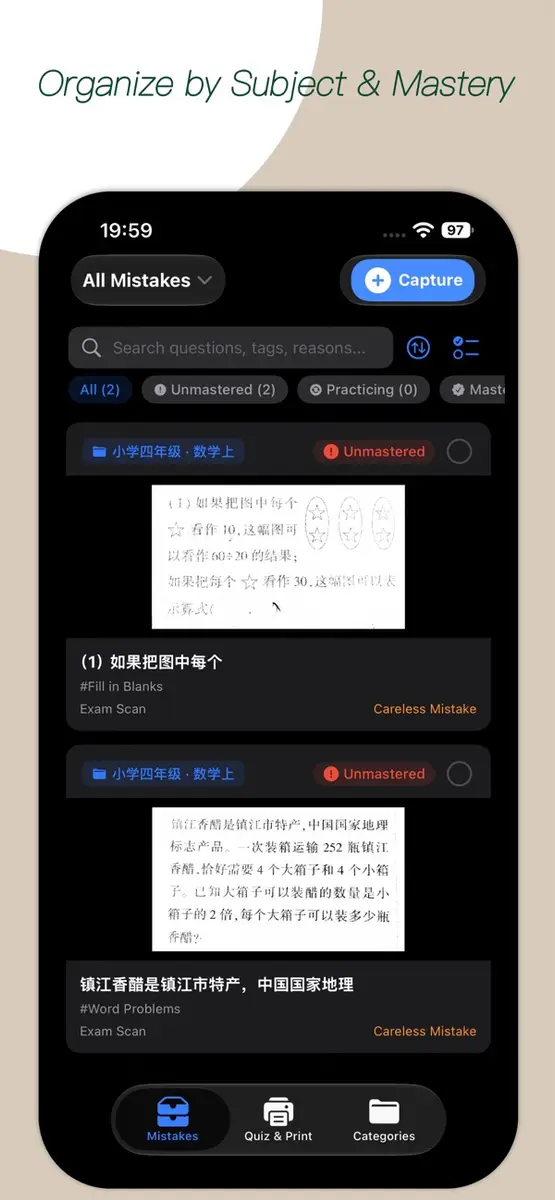
- Mastery tracking. Mistakes are organized by grade, subject and topic, and each one moves through three stages: To Master, Practicing and Mastered, with a mastery rate shown at a glance.
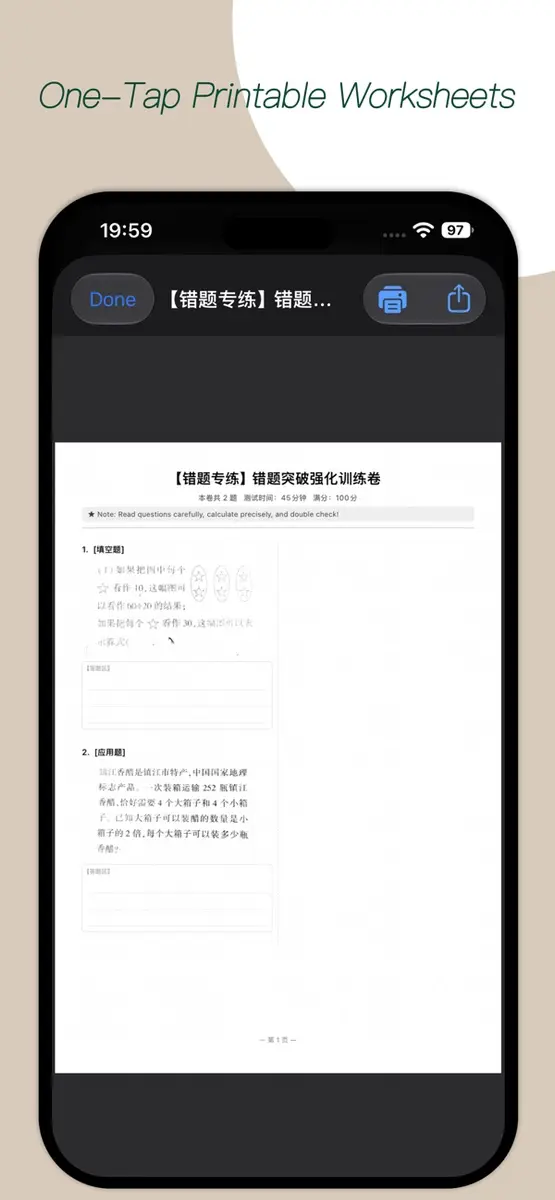
- Worksheet printing. Chosen mistakes are laid out on A4 practice sheets with clean answer fields, then exported to PDF or sent to a printer through AirPrint.
The developer says all image processing and storage stay on the device, with nothing uploaded to the cloud, no ads and no data tracking.
Which devices and languages does it support?
It runs on iPhone and iPad. Apple’s listing says it requires iOS 17.0 or later, or iPadOS 17.0 or later. The app is available in English, Simplified Chinese and Traditional Chinese, and the age rating is 4+. No Android version is listed.
What is the catch?
The page mentions no purchase for this offer, but check a few things first:
- No end date is published.
- The app needs a fairly recent system, iOS 17.0 or later.
- The app has not yet received enough ratings or reviews for Apple to show an overview, so there is little public feedback to go on.
- The privacy claims come from the developer. Apple says the information has not been verified by Apple.
The example screens on the listing use Chinese school maths questions, and the interface languages are English and Chinese only, so check whether that fits the papers you plan to scan.
How do you get it?
Open the App Store on an iPhone or iPad and search for MindCheck - Exam Mistake Notes, or open the developer’s official listing. Check that the button says Get instead of showing a price, tap it and sign in with your Apple Account if asked. Use only the App Store for the download.
Prices in Canada and the US
In Canada, the App Store listing shows a price of zero in Canadian dollars. The sources do not say what the app normally costs in Canadian dollars. New Mobile Life gives the regular price as US $0.99, and these are prices at the time of writing. They can change at any time.
Who it suits
Students revising for exams. If you collect wrong answers in a notebook or cut up old papers, the crop, erase and print flow replaces that manual copying.
Parents helping with homework. Printing a clean sheet of only the missed questions gives a child a targeted practice page without the old answers showing.
Teachers and tutors. The grade, subject and topic organization and the A4 output make it possible to build a short quiz for one student from past errors.
Who should wait. People on an iOS or iPadOS version older than 17.0 cannot install it, and Android users have no version listed.
What is still unknown?
The sources do not say when the free offer ends, how the app handles papers in other languages, or what the Canadian price was before. The next step is to open the official App Store listing, confirm that the button still reads Get, and download it before the price changes.