Annidiem, a countdown and day diary app for iPhone, iPad and Apple Watch, is showing as Free on the App Store right now. New Mobile Life reported on October 31 that it is a limited-time offer and that the app normally costs US $0.99.
The app turns birthdays, anniversaries, exams, trips and other dates into cards. Each card counts down, or counts up for days already past, and flips over into a private record of that day. The developer is Haiguang Yin, the listing carries a 2026 copyright to Sealight Yin, and the first release appeared on Sep 19.
What is free, and until when?
The whole app is the free item. The App Store page for Canada shows Annidiem as Free, with no in-app purchases listed, and New Mobile Life puts the regular price at US $0.99.
Neither source gives an end date for the free period, so it can end at any time. If the store button shows a price instead of Get when you look, the offer is over.
Platforms and requirements, from the listing:
- iPhone and iPad: iOS 18.0 or iPadOS 18.0 or later
- Apple Watch: watchOS 11.0 or later
- Mac: macOS 15.0 or later with an Apple M1 chip or later
- Apple Vision: visionOS 2.0 or later
- Size: 12.3 MB, age rating 4+, category Utilities
How do I get it?
Open the App Store on your iPhone or iPad and search for Annidiem, or use the official listing linked under the sources. Check that the button reads Get, tap it and let it download. Nothing else is needed to unlock it, since there is no paywall in the listing. Android is not mentioned.
What does Annidiem do?
The idea is that a calendar manages your schedule while Annidiem remembers the days that matter. Highlights from the listing:
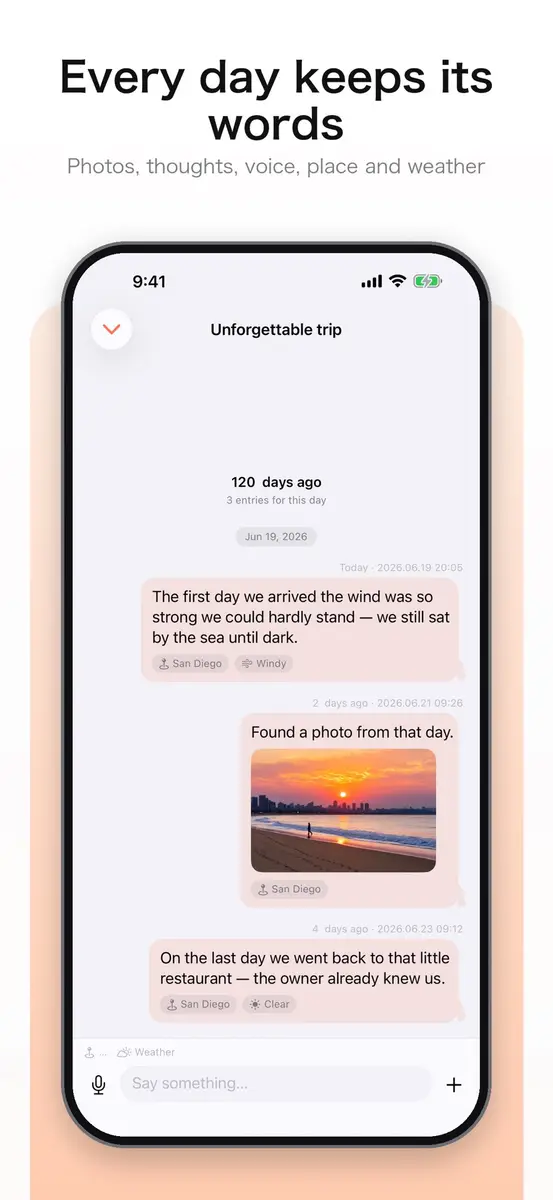
- Talk to this day. Flip a card from its bottom right corner to add photos, thoughts, voice memos and short videos, each stamped with the place and weather of that moment. Every year keeps its own record.
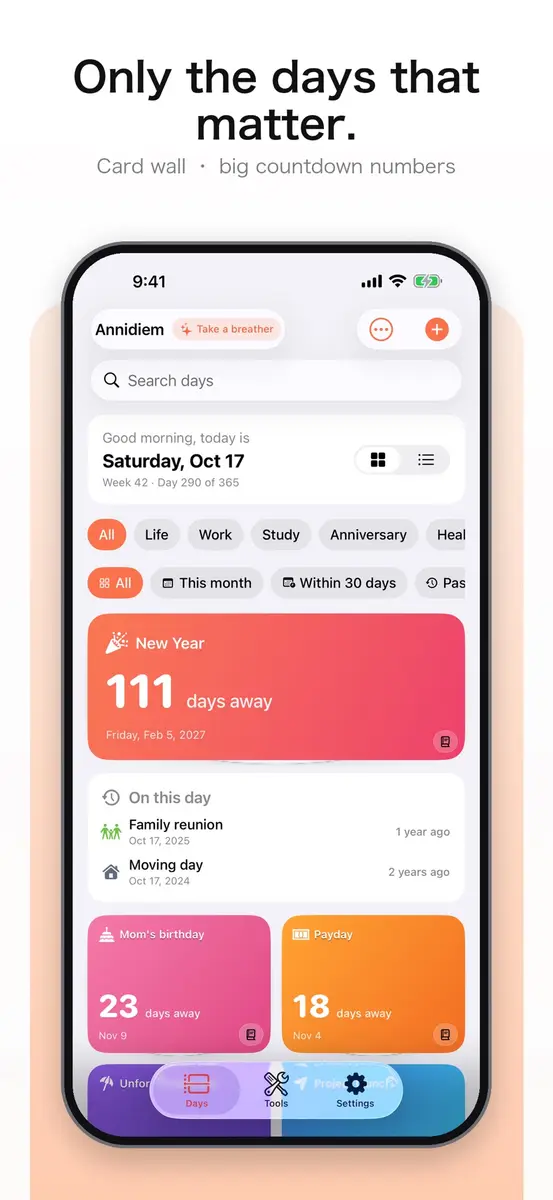
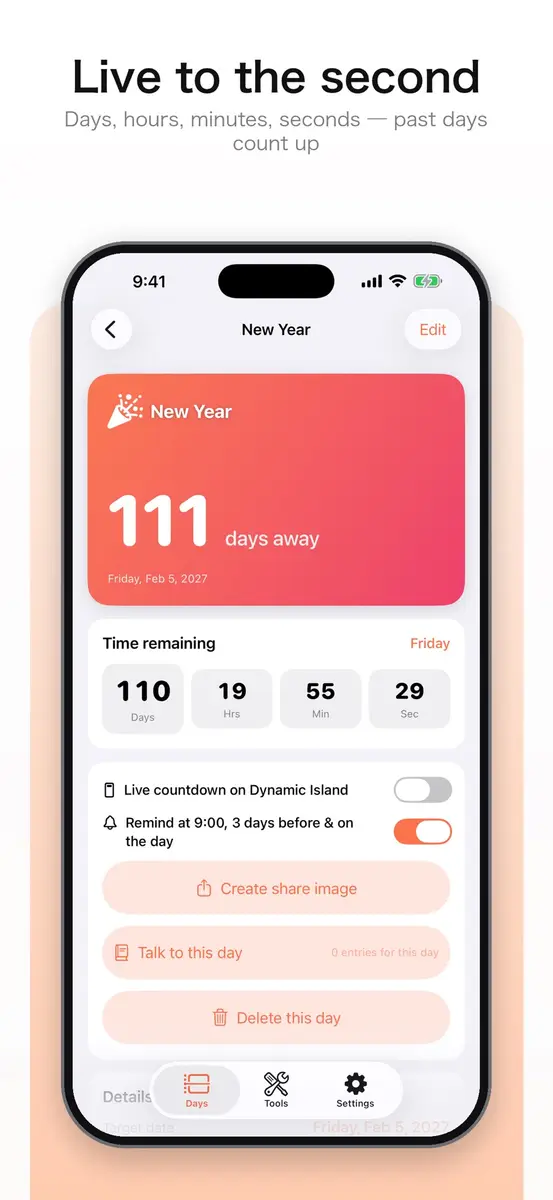
- Card wall and live countdown. Big countdown numbers for every day, with live days, hours, minutes and seconds. Past days keep counting up, for example 1000 days together or 90 days smoke-free.
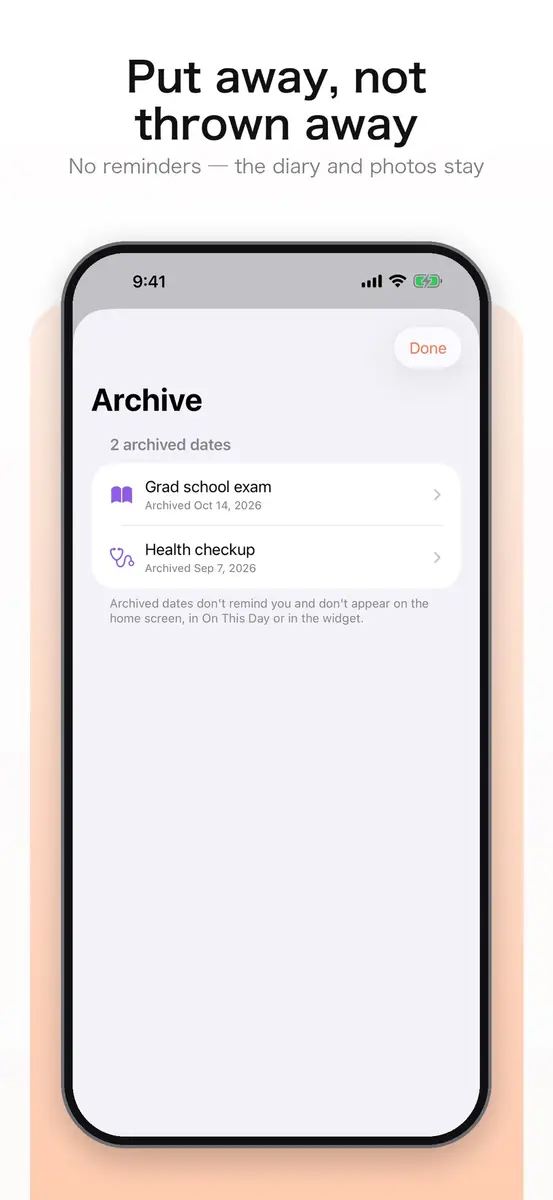
- Archive. Days you no longer need can be put away without deleting anything. They stop reminding you while the diary and photos stay.
- Widgets and Dynamic Island. Lock Screen widgets, a large widget showing your next five days, and a day you can pin to the Dynamic Island.
- Era of Days. One 3D timeline of all your days, where days with photos stand along the road.
- Reminders and repeats. Remind on the day itself or 1, 3, 7, 14 or 30 days ahead, and repeat daily, weekly, monthly or at an interval you set.
- Date tools. Type “100 days” and the date is computed, and a calculator handles days between dates and business days. Typing a number such as 10,000 days ahead now works directly.
- Sharing and backup. Five share card styles, import from the system Calendar, export as .ics or JSON to iCloud Drive, and iCloud sync across devices.
- Privacy. A Face ID lock is available and the developer says it collects no data, which Apple labels as unverified.
What is the catch?
The main catch is timing, since no end date is given and the price may change without notice. There are no ratings or reviews yet, so there is no public feedback to lean on.
One feature has a hardware limit. The on-device blessings, which write personalized messages through Apple Intelligence, need an iPhone 15 Pro or later. The rest does not depend on it.
Data stays on your device and in your own private iCloud database, according to the developer. That means moving to a new phone relies on iCloud sync or the exported backup, so turn one of them on before you fill the app with photos.
How much does it cost in Canada and the US?
On the Canadian App Store page the app is listed as Free. The US price is the same free listing as far as we could see, and New Mobile Life gives the regular price as US $0.99. Canadian regular pricing is not stated in the sources, and the listing shows no in-app purchases to buy later.
Who it suits
People counting down to dates. Trips, exams, a move or a family reunion each get a card with big numbers and optional reminders.
People who like to journal in small pieces. Writing against a specific date keeps photos and voice memos from piling up in a general camera roll.
Apple Watch users. A glance at the wrist shows the next day that matters.
Who should wait. Anyone on Android, and anyone who wants a full calendar replacement. The app says it complements your calendar rather than replacing it.
What is still unknown
The sources do not say how long the free period lasts, what the regular price is in Canada, or how the app handles very large photo libraries. The listing shows no ratings yet.
Next step: open the official App Store listing on your iPhone or iPad and download it while the button still says Get.