House Radar, an iPhone app that walks you to lost phones, earbuds, watches, TVs and speakers by following their signals, is listed as Free on its App Store page. The Hong Kong site New Mobile Life reported on November 8 that the app is free for a limited time, down from US $0.99.
The developer is listed as Peter De Paola, and the page shows the app in the Utilities category, rated 4+, at 9 MB, with iOS 17.0 or later required. It has only 1 rating so far (5.0 out of 5), which is too little to judge how well it works in a real home.
How does House Radar find a lost item?
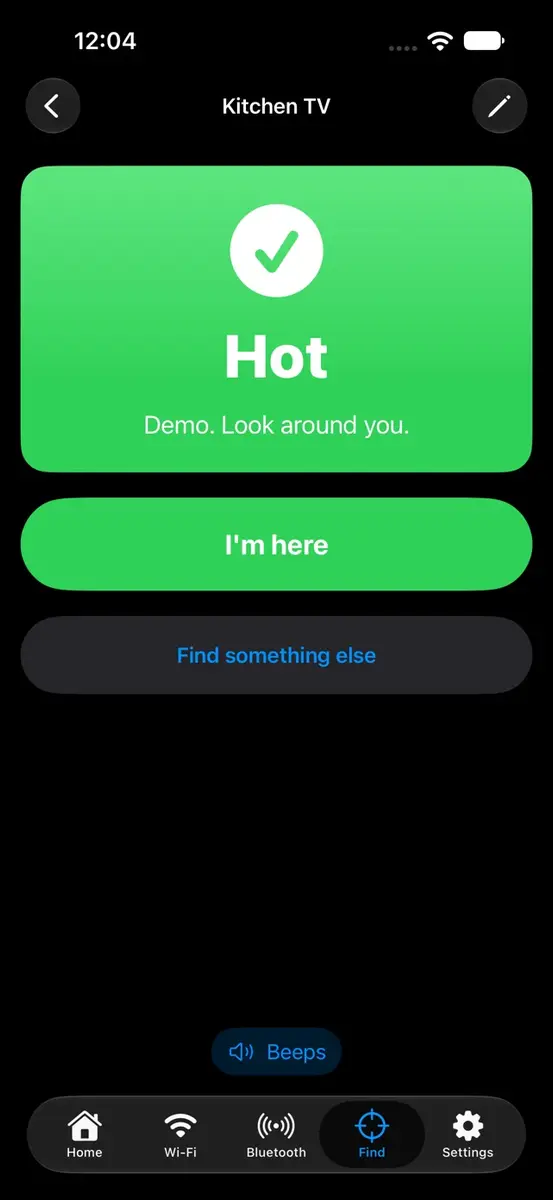
You pick the device and start walking. According to the App Store description, the screen shifts from cold blue to hot red as you get closer, a word reads Warmer, Colder or Right here, and the beeps speed up when you are on top of it. When the iPhone can hear the device over Bluetooth, an arrow also points the way.
Version 1.2 added a camera mode with no Mac and no tags needed. You choose what you lost, tap “Show me with the camera” and turn one slow circle while the phone listens. The developer’s guide says that circle usually takes under a minute.
The app has three scanning tools:
- Find something I lost: phone, earbuds, watch, tag and similar, with the warmer or colder guide
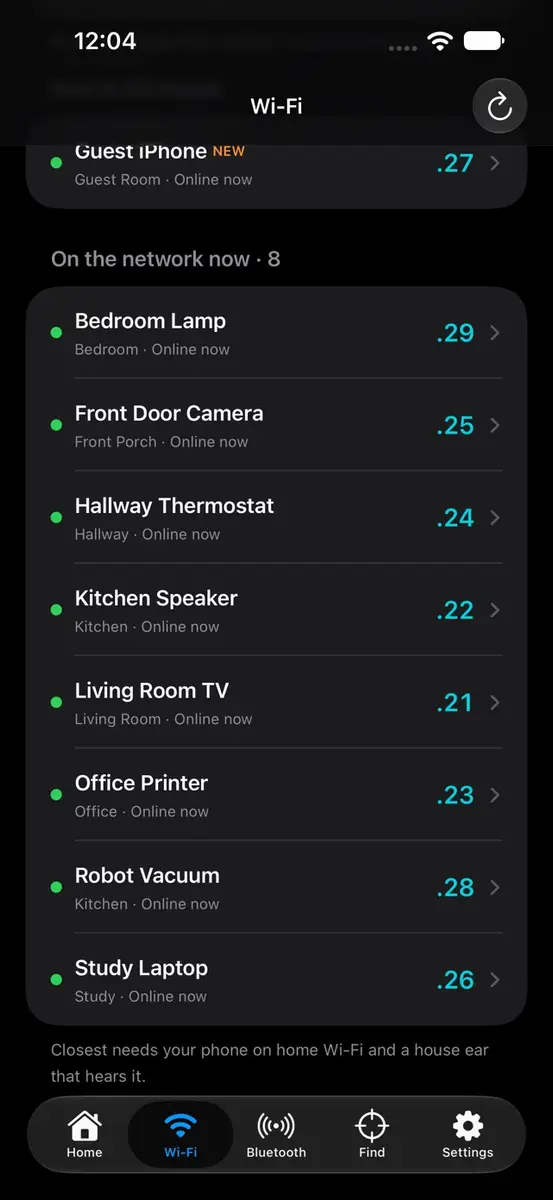
- Quick scan: lists the devices on the Wi-Fi you are connected to, with plain names
- Bluetooth around you: earbuds, watches, speakers and trackers the phone can hear, closest first
The developer is open about the limits. Signal strength is described as a guide, not a tape measure: it ranks what is closer rather than giving a distance. The developer’s guide also says AirPods that are connected to your iPhone do not broadcast, so the scan cannot hear them, and it points readers to Find My for those.
What is the optional home base?
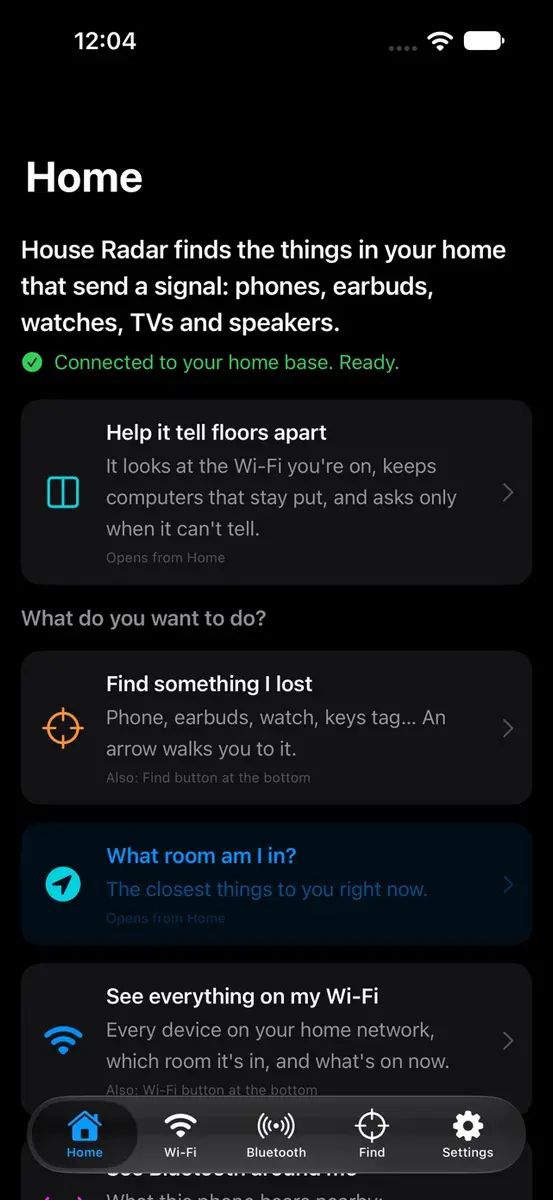
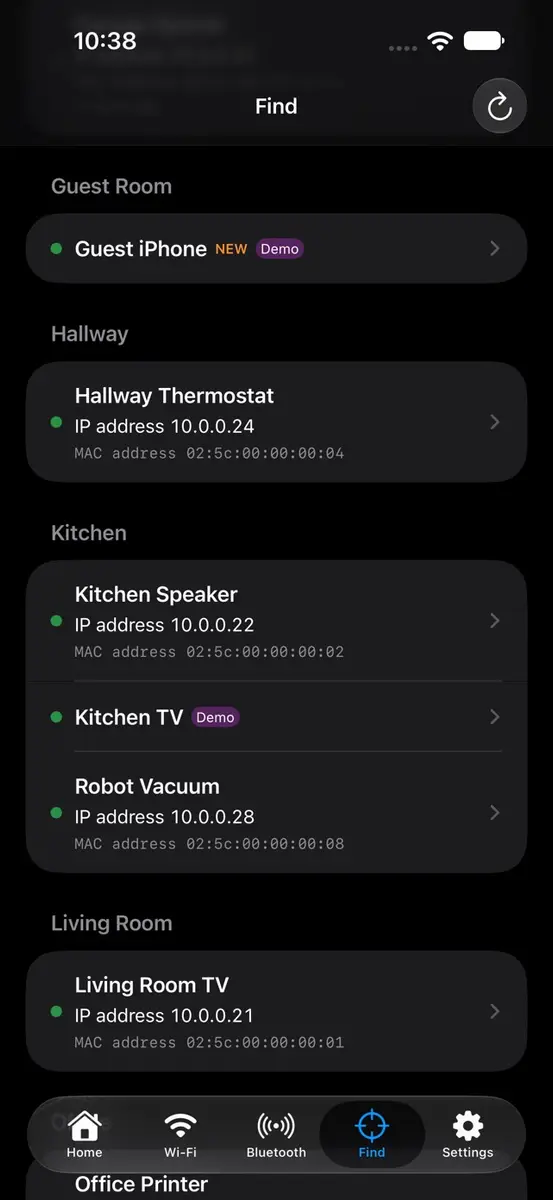
For whole house finding, you can add a free home base on a Mac that stays on at home. The app then lists everything on your home network, flags what just came online and shows the room for devices you place or that a listener in that room hears.
The developer’s guide says the Mac download is about 800 KB, and that a Mac or Windows computer in another room can act as a listener by pasting one line. A “Set up your home” guide asks for your floors and rooms, then has you walk to each room and tap “I’m here”. If you have no Mac, “Try a demo house” shows the full hunt with pretend devices. The camera scan needs an iPhone XS or newer, according to the same guide.
How do I get it free?
- On your iPhone, open the House Radar page on the App Store.
- Check that the button shows Free, then download it.
- Sign in with Apple or an email when asked. The developer’s guide says an account is needed.
- Allow Bluetooth, Camera and Local Network when prompted.
Prices
- Now: the App Store page we read shows Free.
- Normal price per New Mobile Life: US $0.99.
- Developer’s own guide page: it describes the app as “$2.99 once”, with no subscription and no in-app purchases.
The two regular prices do not match, and the sources do not say why. The App Store page does not list an end date for the free offer, so it could change at any time.
What data does it collect?
The App Store privacy section, filled in by the developer and not verified by Apple, lists email address, name, other user content and a user ID as data linked to you, used for app functionality. The developer’s privacy policy says names and rooms you give your devices are stored on a sign-in server hosted by Cloudflare, and are not sold, shared or used for ads.
The same policy says Bluetooth, motion and camera data are used on the iPhone and nothing is recorded or sent, and that the Wi-Fi quick scan runs on the phone. You can delete the account in Settings. The app is not made for children under 13.
Who it suits
People who keep losing earbuds and watches. The warmer and colder screen with beeps is built for the couch cushion hunt, and the app costs nothing at the moment.
Home network curious readers. Quick scan gives a plain named list of what is on your Wi-Fi without any extra hardware.
Mac owners who want room level answers. The optional home base is the only way to see which room a device is in, and it costs nothing extra.
Who should skip it. Anyone who wants an exact distance, anyone who does not want to create an account, and anyone on an iPhone older than iOS 17.0 allows.
What is still unknown
The end date of the free offer is not stated, nor is whether the price outside the page we read is also Free. The gap between the US $0.99 and $2.99 figures is also unexplained, and with 1 rating there is little independent feedback on accuracy.
Open the App Store listing on your iPhone and confirm it reads Free before you download.