Zebra, a Markdown notes app for iPhone and iPad, is listed as free on the App Store on November 4, and the tip site 流動日報 New Mobile Life says its regular price is US $0.99. The listing shows no end date for the free price, so there is no stated deadline to plan around.
The app comes from a developer listed on the App Store as 飞 翟. It is a 59.2 MB download rated 4+, and it needs iOS 17.0 or later on iPhone, iPadOS 17.0 or later on iPad, or macOS 14.0 or later on a Mac with an Apple M1 chip or later.
What is Zebra and how does it work?
Zebra calls itself a native Markdown notebook for iPhone and iPad. No Zebra account is needed, notes stay on your device by default, and writing works offline.
The editor shows Markdown marks where you are typing and folds them away when the caret moves on, so the page reads cleanly. Headings, lists, tasks, quotes, callouts, footnotes and text highlights give a note its structure. You can set separate fonts for body text, headings and code, and adjust size, line height and width.
Can it handle diagrams, math and tables?
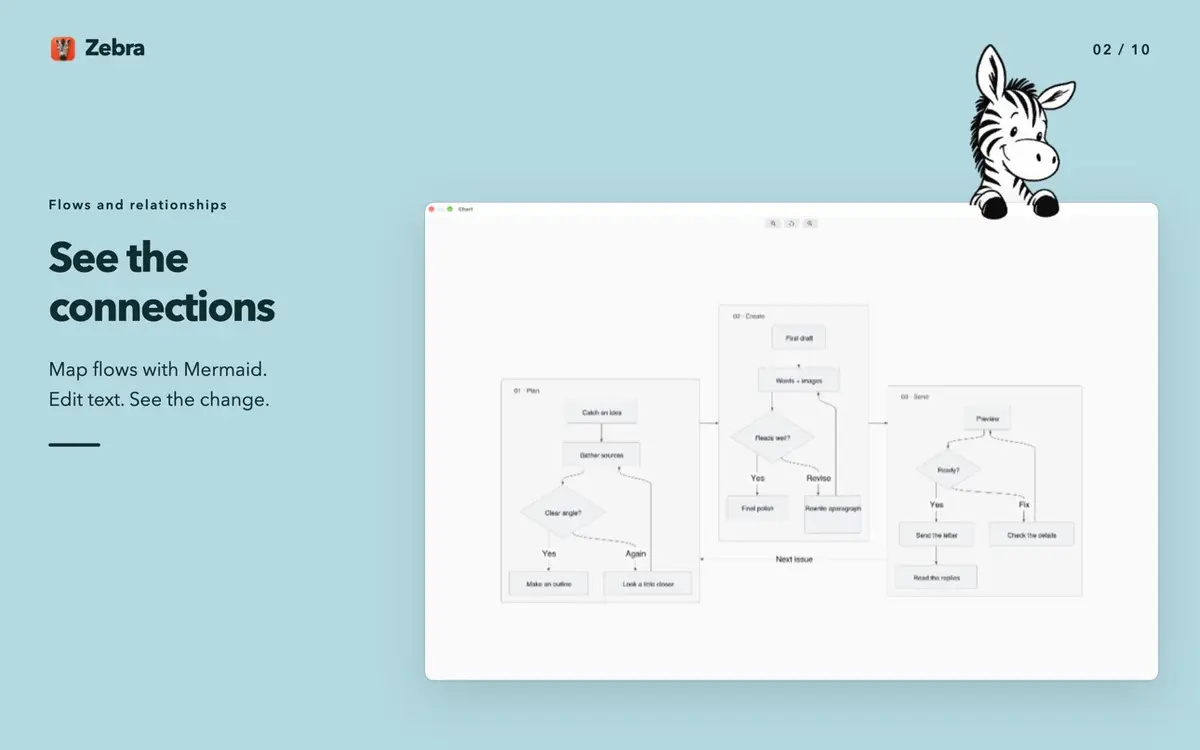
Yes, and this is the part that sets it apart from a plain text notes app. According to the App Store page, the diagram and math tools include:
- Mermaid flowcharts, sequence diagrams and mind maps
- LaTeX formulas, inline or as full working
- Diagrams and math that render offline, with the source still editable
- Syntax colors in code blocks and inline code
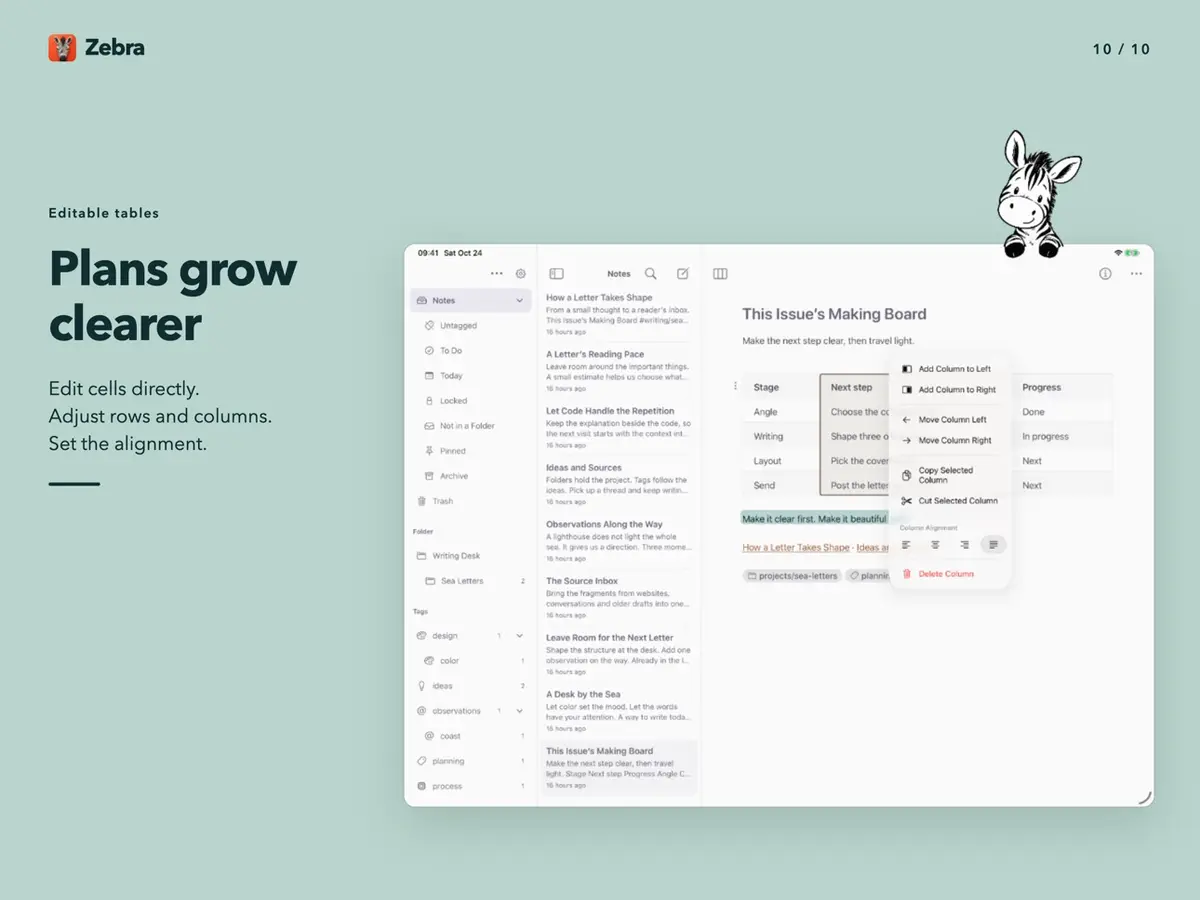
- Tables where you edit cells directly, add or move rows and columns, and set alignment
The developer says tables remain standard Markdown, so they should open in other Markdown tools. The app also ships with 22 light and dark themes that coordinate words, code, tables and math. Custom color editing and theme file import and export are listed for Mac only.
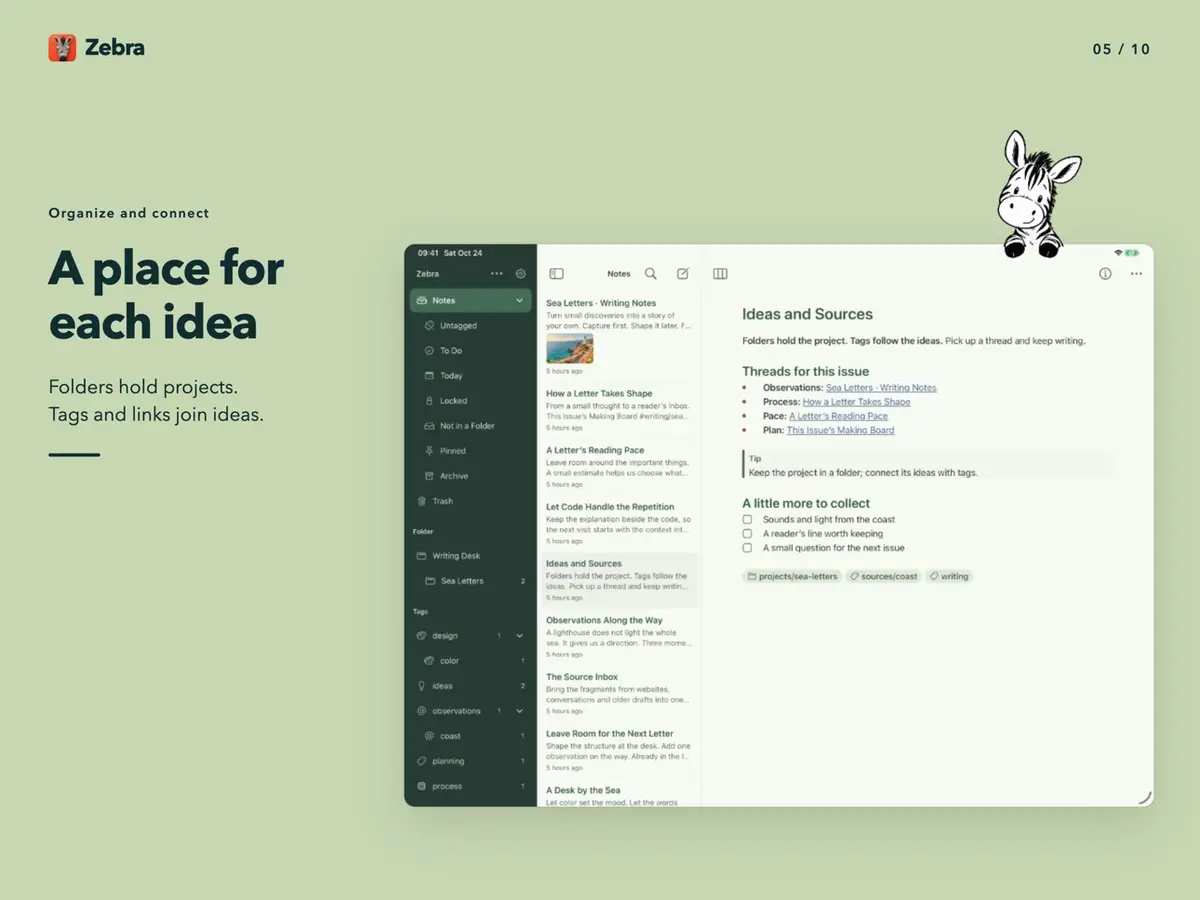
How do folders, links and sync work?
Folders hold projects, nested tags follow subjects, and [[wiki links]] connect notes to each other. You can search the library by keyword and find a passage inside a note. Photos and files can be inserted as attachments, and you can share Markdown or package a note together with its attachments.
Document conversion and extra exports such as PDF, DOCX and ePub are listed for Mac, not for iPhone or iPad.
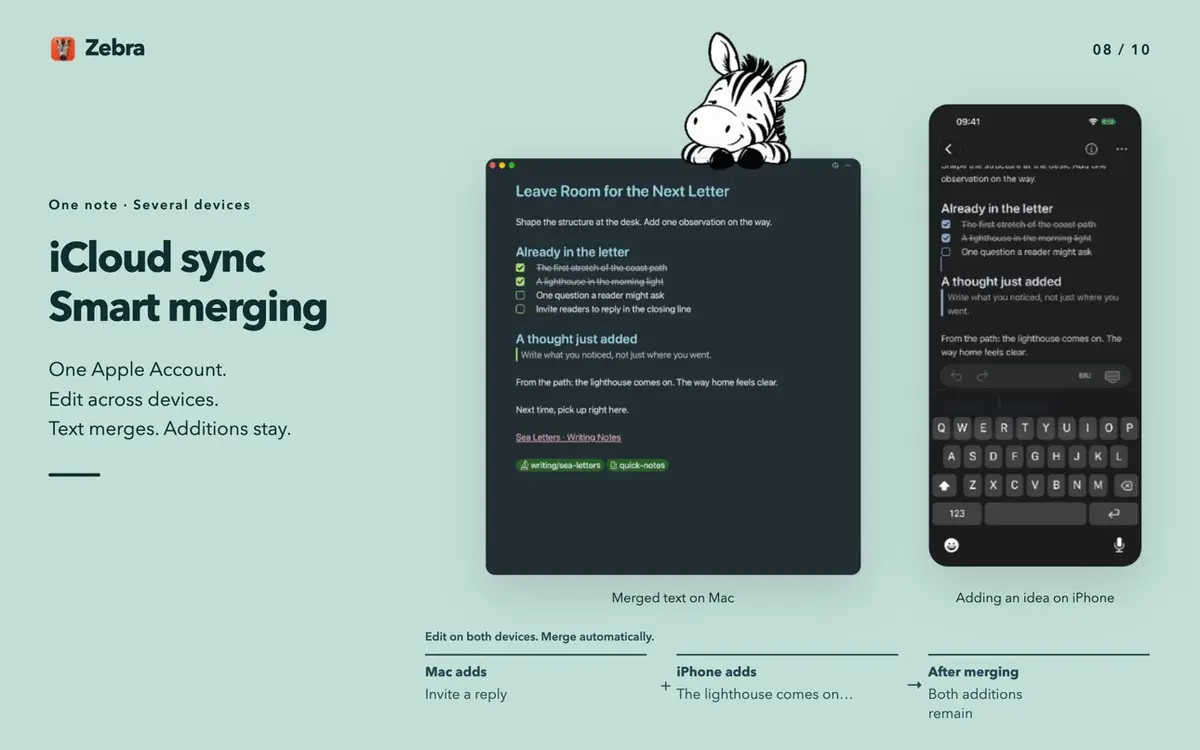
iCloud sync is optional and off by default. When you turn it on with the same Apple Account across iPhone, iPad and Mac, it uses your own private database, and the developer says concurrent text changes merge automatically so each device’s additions are kept.
One caution from the listing: a note password controls viewing, not encryption. Note text and attachments stay unencrypted in storage, backups and sync, and Zebra syncs only a password check and an optional hint, never the password itself.
Prices
The App Store listing shows Zebra as Free. The only regular price in the sources is US $0.99, and it comes from 流動日報 New Mobile Life, not from the listing itself. The listing does not describe the free period as a promotion and gives no end date.
The sources state prices in US dollars only. If you are outside the United States, check the price shown on your own country’s App Store page before you download.
How do I get it?
- Open the App Store on an iPhone or iPad that meets the iOS 17.0 or iPadOS 17.0 requirement.
- Search for “Zebra: Markdown Notes” or open the official listing linked at the end of this story.
- Confirm the button says Get rather than a price, then tap it.
Because no end date is given, the sensible move is to download it soon if you want it.
Who it suits
Students and researchers. Mermaid diagrams, LaTeX formulas and editable tables sit in the same note as your text, and they render offline.
Privacy minded note takers. Notes stay on the device by default, no account is needed, and the developer’s App Privacy entry says it does not collect any data. Apple notes that this information has not been verified by Apple.
Markdown writers who use several Apple devices. Optional iCloud sync across iPhone, iPad and Mac keeps one library, and the extra Mac exports cover PDF, DOCX and ePub.
Who should wait. Anyone who needs notes to be encrypted should not rely on the password feature, since the developer states it is not encryption. The app also has too few ratings on the App Store to show an overview yet.
What is still unknown?
The end of the free period is not stated anywhere we could read. The US $0.99 regular price rests on one tip article, and the listing text does not say whether the Mac version is covered by the same price. Reviews are not available yet.
Next step: open the Zebra listing on the App Store, check that your storefront shows Free, and read the app’s privacy section before you move important notes into it.