TimeBox Tracker - Do More, a productivity app for iPhone, iPad and Apple Watch, is listed as free on the US App Store right now, and the tip site New Mobile Life says it normally costs US $0.99. The app turns a to-do list into short, focused timeboxes and asks you to pick only your top 3 tasks.
The App Store listing shows the price as Free, with no in-app purchases listed, and the developer says no account or subscription is needed. No end date for the free period appears on the listing or in the tip article, so it can change at any time.
What is free right now?
The whole app is free to download according to the App Store listing, published by the developer Ona Pacholo Asis. The listing does not mention a paid tier or an unlock. The regular price of US $0.99 comes from the tip article, not from the listing, which only shows the current price.
Neither source says how long the offer lasts. New Mobile Life calls it a limited-time free offer, but gives no date.
What does TimeBox Tracker do?
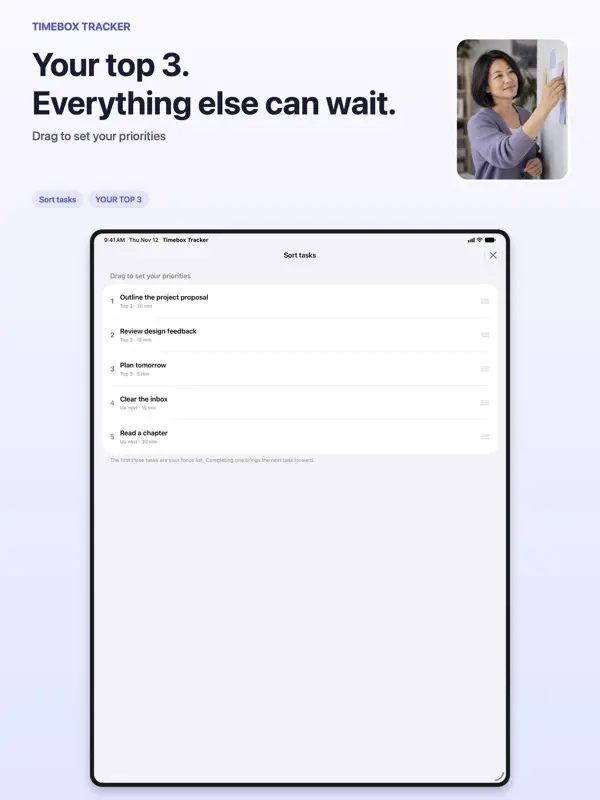
The idea is simple: add tasks, put the first 3 at the top as your focus list, give each one a timebox and work on one thing at a time. According to the listing, the main features are:
- Tasks with a clear outcome and optional notes, sorted in priority order
- A queue that keeps extra tasks waiting until there is room to focus
- Timeboxes of 5, 15, 30, 45 or 60 minutes for each task
- Pause, resume or end early, with the focused time saved either way
- An end-of-session choice: mark complete, keep for later or start another timebox
- The timer keeps running in the background if you close the focus screen
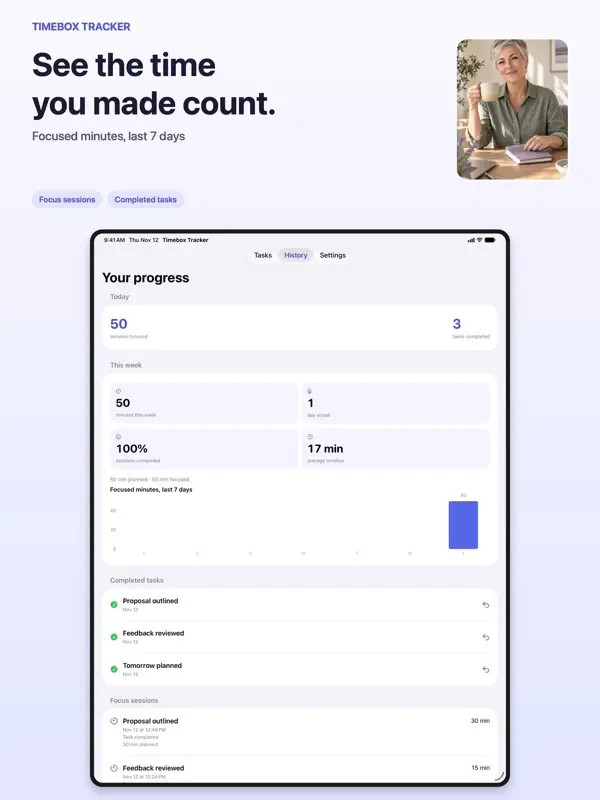
- History of completed tasks and focus sessions, including partial sessions
- An optional alert when a timebox ends, plus light, dark or system appearance
- Export of current tasks as CSV, and a factory reset
The developer’s latest update notes also mention a Daily Top 3 planner, reusable task templates, an optional timed break, a Lock Screen timer, a Top 3 widget and weekly focus time in History. The app can switch between 55 language and region options in Settings.
Which devices does it run on?
The listing names iPhone, iPad and Apple Watch, and it also shows compatibility lines for Mac and Apple Vision. The requirements are:
- iPhone: iOS 17.0 or later
- iPad: iPadOS 17.0 or later
- Mac: macOS 14.0 or later with an Apple M1 chip or later
- Apple Watch: watchOS 10.0 or later
- Apple Vision: visionOS 1.0 or later
The download is 10.4 MB. The listing also says the app is designed for iPad and not verified for macOS, so check the Mac line before you rely on it there.
Prices
- Current price on the US App Store listing: Free
- Regular price, per New Mobile Life: US $0.99
- In-app purchases: none listed
- Account or subscription: not required, according to the developer
These are the prices at the time of writing and are in US dollars. Prices in other countries were not checked, so look at your own App Store before you assume the same offer applies.
What data does it keep?
Tasks and focus sessions are stored on your device by default. Optional iCloud sync can keep them up to date across an iPhone and an iPad. On the App Privacy section, the developer says it collects no data, a statement Apple notes has not been verified by Apple.
How do I get it?
Open the App Store on your iPhone or iPad, search for TimeBox Tracker - Do More from Ona Pacholo Asis, check that the price button says Get, and download it.
Who it suits
People who juggle too many tasks. The top 3 rule forces a choice. If your list is long and everything feels urgent, a short focus list with a timer attached is the core of this app.
Anyone who works in short bursts. The shortest timebox is 5 minutes and the longest is 60 minutes, so it fits a quick chore as well as a deep work block.
Privacy minded users. Local storage by default, no account and no subscription will appeal to anyone tired of sign ups, though the privacy claims are the developer’s own.
People who want a full project manager. Skip it. It has no shared lists or calendars in the listing, and there is no rating overview yet because it has not received enough ratings or reviews.
What to do next
Open the App Store listing on your device and check that the price still shows Free before you download. Because no end date is stated, the offer could end without notice. The developer’s own page at qnsub.com/timeboxtracker has the support and privacy links.