QR Workshop Full, an iPhone and iPad app that scans QR codes with a link check and also creates QR codes and barcodes, shows as free on the US App Store on November 27, 2026. New Mobile Life reports its regular price is US $0.99 and calls the free download a limited time offer.
The listing gives no end date. The developer, Dominik Peuscher, sells it as a pay once app with no ads, no subscription and no account, and the listing says there are no in-app purchases.
What does it do when you scan a code?
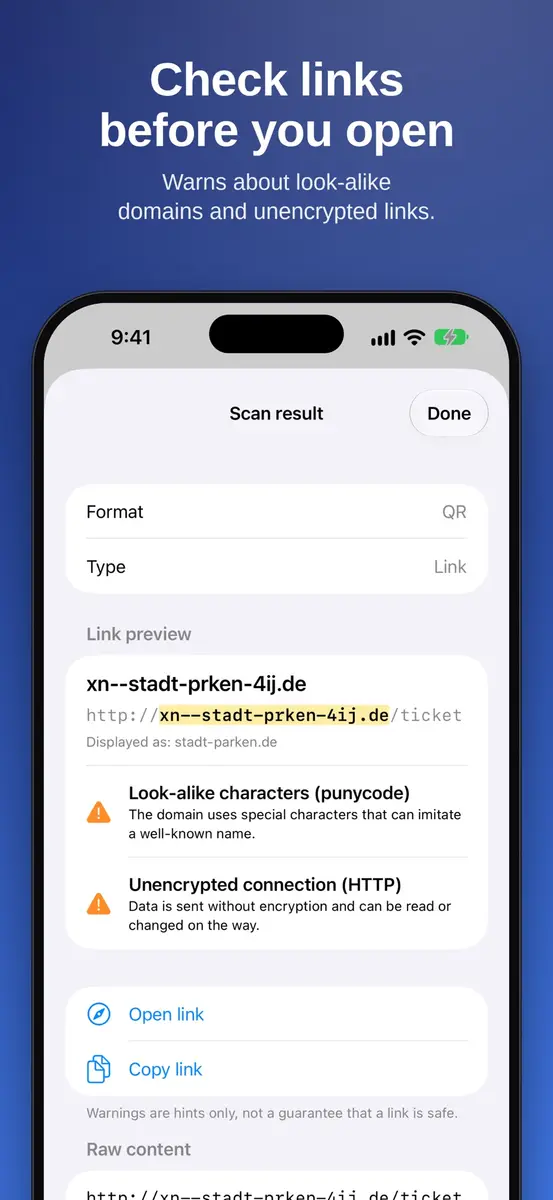
The app is built around looking before you open. After a scan, it shows the full link and highlights the domain, and the notices flag several risky patterns:
- HTTP links and IP addresses used instead of domains
- Punycode look alikes and embedded credentials
- URL shorteners
Links never open automatically, and short links are resolved only after you agree, for that one link. The developer says these notices are guidance, not a guarantee of safety. You can scan with the camera or import photos, screenshots and PDFs, even with several codes in one image. Supported formats include QR, Aztec, PDF417, Data Matrix, EAN-13, EAN-8, UPC-E, Code 128, GS1-128, Code 39 and ITF.
What can you create with it?
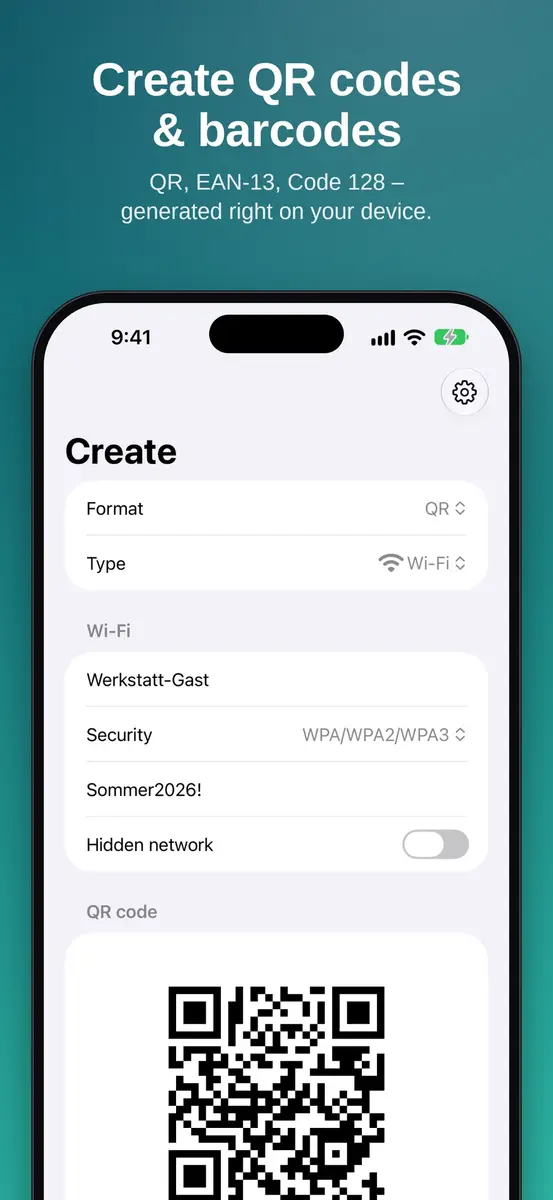
- QR codes for links, text, Wi-Fi, contacts, email, phone, SMS, events and locations
- GiroCode (SEPA credit transfer) and PayPal.Me links, for example for invoices
- Barcodes with check digit validation, plus GS1 pallet labels
- Designed QR codes with colours, round dots and your logo, with a self test that checks the code still scans
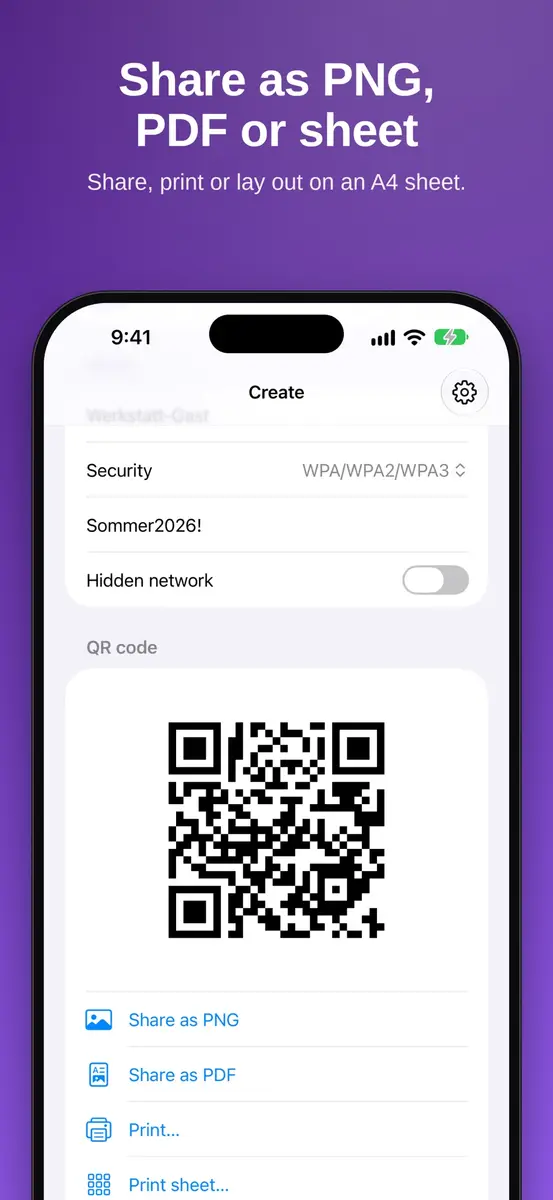
Codes can be shared as PNG or PDF, printed at the size you need, or shown full screen. You can fill an A4 or Letter sheet with many codes from your history.
What is the Wi-Fi sign for 3D printers?
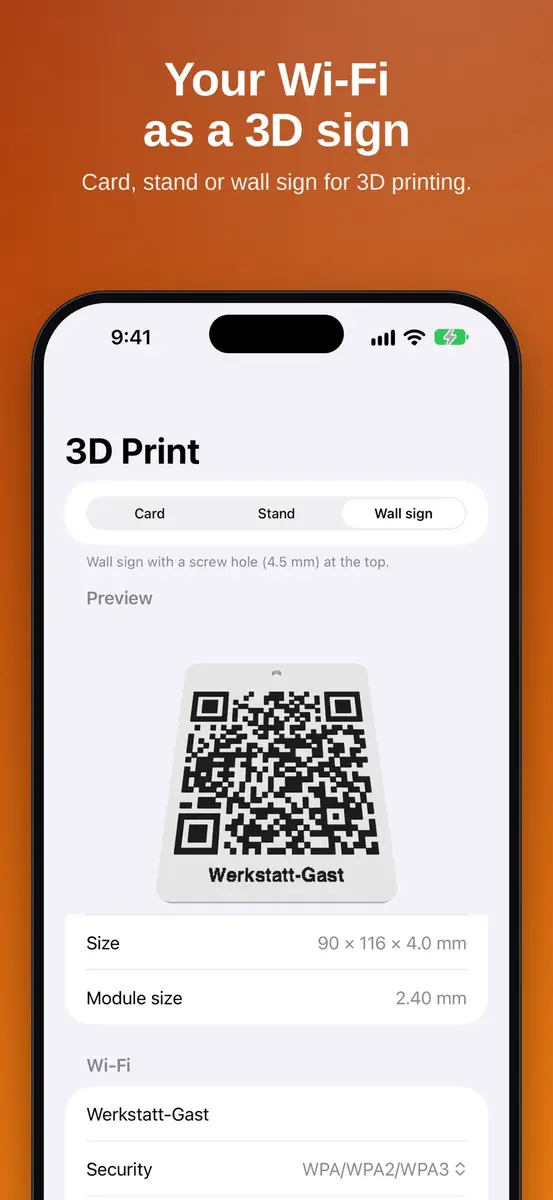
The app turns your Wi-Fi details into a printable sign in three templates: a card, a stand and a wall sign. You can adjust size, plate thickness, code height and label, then export a 3MF file with separately assignable base and code parts for Bambu Studio, OrcaSlicer or PrusaSlicer, or an STL file. The listing notes that you need a printer, material and suitable slicer settings, and that you should check the finished print scans correctly.
How much does it cost, and how do you get it?
The US listing shows Free in US dollars. New Mobile Life gives the original price as US $0.99, while the developer’s website mentions buying QR Workshop Full once for 1.99 euros, so the price differs by store and time. Check the App Store price in your country. The app is 5.9 MB, rated 4+, and needs iOS 17.0 or later, iPadOS 17.0 or later, macOS 14.0 or later on a Mac with an Apple M1 chip or later, or visionOS 1.0 or later. It comes in English and German. Open the listing, check the price, and tap Get.
The developer’s site also describes a separate QR Workshop app that is free to download, with all features for 7 days and a one time Full version purchase afterwards. QR Workshop Full is the version with everything unlocked from the first launch.
Who is it for?
Anyone who scans codes in public. The link preview and warnings are useful for posters, flyers and parking signs where a shortened or odd looking address deserves a second look.
Small businesses and freelancers. GiroCode, PayPal.Me links and printable label sheets help with invoices and labelling.
3D printer owners. The Wi-Fi sign export is a niche feature, but it is the part most free scanners lack.
Anyone who wants no tracking. The developer says it collects no data and processes codes on the device, although opening external links, resolving a short link or turning on the optional iCloud sync can send data off the phone, and Apple labels the privacy details as not verified.
What is still unknown?
The end date of the offer and prices outside the US are unconfirmed. The app has not yet received enough ratings for Apple to show a score, and version 1.1, released on November 15, renamed it QR Workshop Full without removing features.
If you scan QR codes often, get it while the listing shows Free and test the link preview on a short link before you rely on it.