Piggy BookKeep, an expense ledger, handwriting notebook and countdown app for iPhone and iPad, is listed as free on its official App Store page. The Chinese language outlet New Mobile Life says the app normally costs US $0.99 and calls the price a limited time offer, but neither source gives an end date.
The listing shows no in-app purchases, so the free download looks like the whole app. It does contain advertising and its privacy label mentions tracking, so read the catch section below before you install it.
What exactly is free?
The app itself. The App Store page shows the price as Free, lists the category as Finance and shows no in-app purchases. New Mobile Life describes the offer as a limited time promotion on a regular price of US $0.99.
The official page only shows the current price, so the US $0.99 figure rests on the tip site alone. Neither page says when the free period ends. App prices can change at any time, so the offer may stop without notice.
Which devices does it run on?
- iPhone: iOS 17.0 or later
- iPad: iPadOS 17.0 or later
- Mac: macOS 14.0 or later on a Mac with an Apple M1 chip or later, although Apple’s page says the app is designed for iPad and not verified for macOS
- Apple Vision: visionOS 1.0 or later
- Size: 6.8 MB
What does it do?
The developer describes three tools in one app:
- Expense ledger. A quick Add Transaction flow with income and expense categories such as food, transport, shopping, housing, medical, education, salary and bonus. Entries are grouped by day, with totals for spending, income and balance. Data can be exported to Excel and imported back after you confirm the merge.
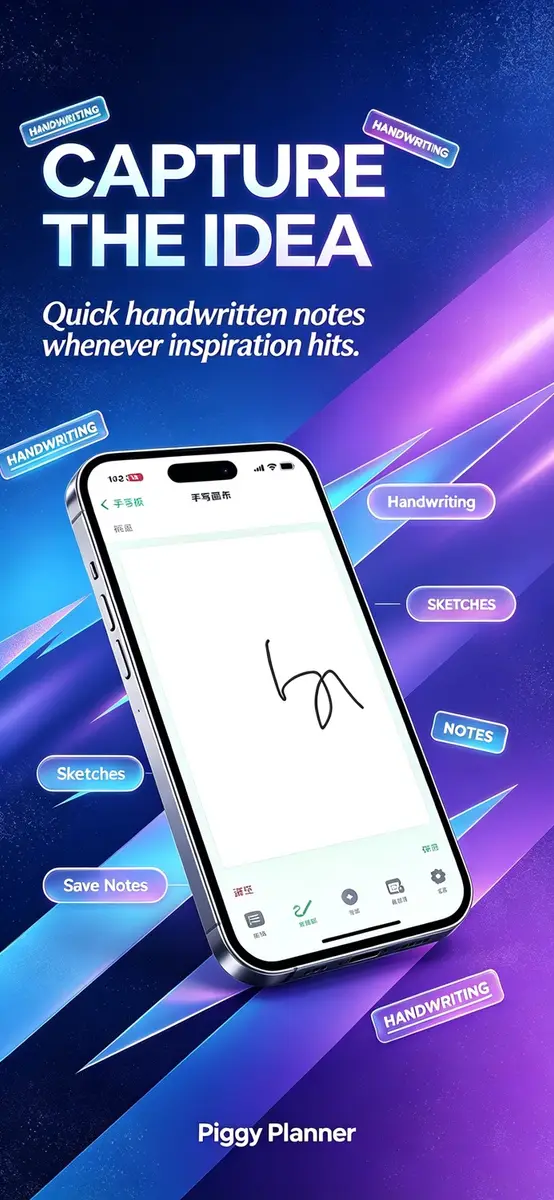
- Handwriting notebook. Notes are grouped by date and meant for meeting minutes, class notes, shopping lists and quick sketches.
- Countdown reminders. Events such as birthdays, trips, exams and deadlines show the days left. Reminders can be set to the minute, with daily, weekly, monthly or yearly repeats, and you can add a cover image or share a poster.
Home screen widgets show a monthly summary, the latest transaction or recent entries. Countdown widgets come in three sizes.
According to the developer, ledger entries, notes and countdown events are saved mainly on the device, so they can be viewed and edited offline.
How do I get it?
- On an iPhone or iPad, open the App Store and search for Piggy BookKeep - Quick Ledger, or use the official listing from the developer 微 韩.
- Check that the price reads Free before you tap the download button.
- Open the app and read the privacy consent dialog before you accept it.
What is the catch?
- Ads. The listing says the app contains advertising. The developer says ad content comes from third parties and asks users to evaluate it carefully.
- Tracking label. In the App Privacy section, the developer indicates that location, identifiers and diagnostics data may be used to track you across apps and websites owned by other companies. Apple notes that this information has not been verified by Apple.
- Auto-start. This option is off by default. If you turn it on, the app may restore countdown alarms after a reboot and refresh widgets. The developer says it does not start advertising or analytics tools in the background.
- Language. The listing names Simplified Chinese as the language, while the description says Traditional Chinese, English and others are supported. Check the language in Settings after installing.
- Few reviews. The page says the app has not received enough ratings or reviews to show an overview. The latest version is 1.0.3.
Prices
- United States App Store: Free at the time of writing, with no in-app purchases listed.
- Regular price according to New Mobile Life: US $0.99.
- Other countries: the sources do not give prices or availability, so check the listing in your own App Store, where the price appears in your local currency.
Who it suits
People who want a simple spending log. If you only need to record purchases, see monthly totals and back up to Excel, the ledger covers that without an account being mentioned anywhere in the listing.
Students and anyone who tracks dates. The countdown events and minute level reminders suit exams, birthdays and project deadlines.
People who handwrite notes. The notebook is built for quick sketches and lists, and it works offline, according to the developer.
Readers who care about privacy. The ads and the tracking label are the main reasons to hesitate. If those matter to you, read the in-app Privacy Policy first, or choose a different budgeting app.
What is not known
The end date of the free price is not stated, and the original price comes only from the tip site. The sources also do not say whether the offer is the same in every country.
Next step
If the ledger sounds useful, open the official App Store listing now and check that the price still reads Free, since it can change at any time. Read the Privacy Policy linked on the page before you accept the consent dialog.