Escanoteca, a document scanner for iPhone and iPad that can turn handwritten notes into a clean copy, was reported free for a limited time on November 28, 2026. The tip source gives its regular price as US $0.99.
The App Store lists it under Productivity, from developer Marta Gomez Colmenarejo. The offer was reported on November 28, 2026, so treat it as temporary: the price can change at any time.
What does Escanoteca do?
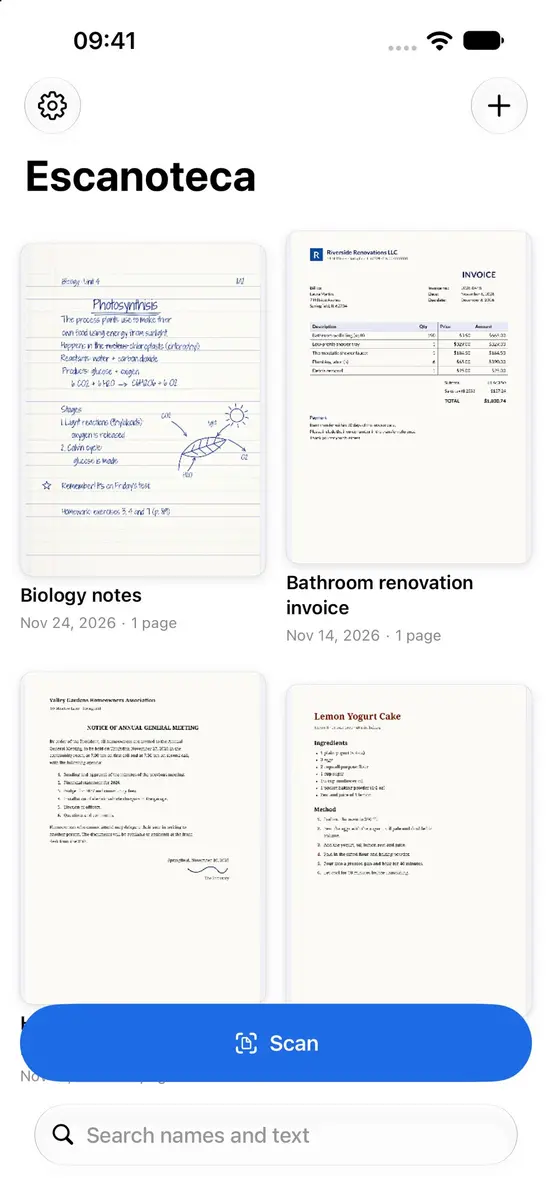
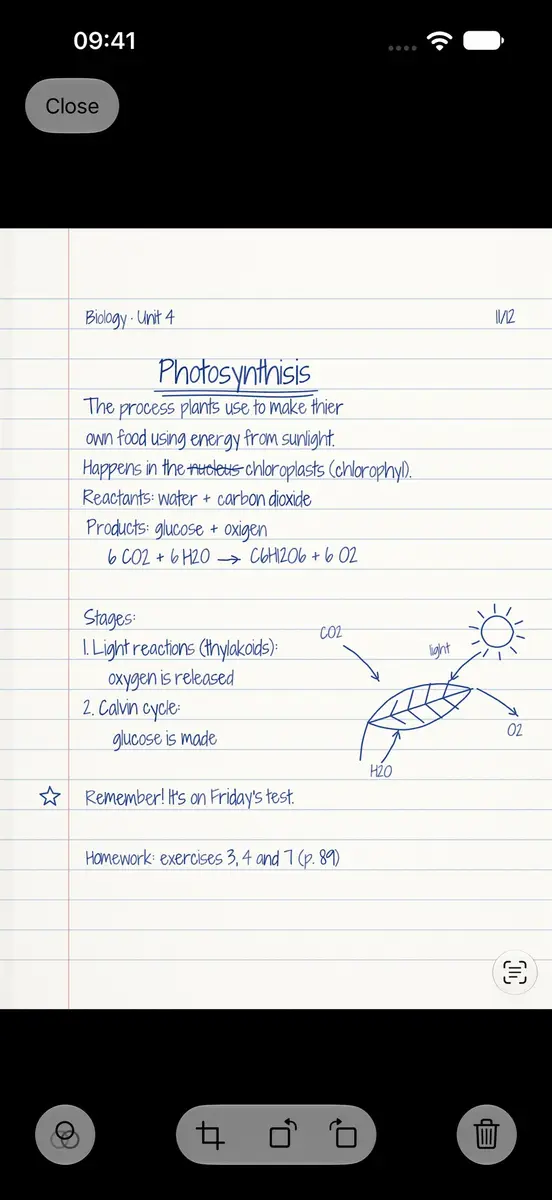
There are two sides to the app. The first is a complete scanner: the camera detects the page, straightens and crops it, and you can adjust four corners by hand, scan several pages in a row, import photos, PDFs and images, and apply per page filters in colour, enhanced, grayscale or black and white.
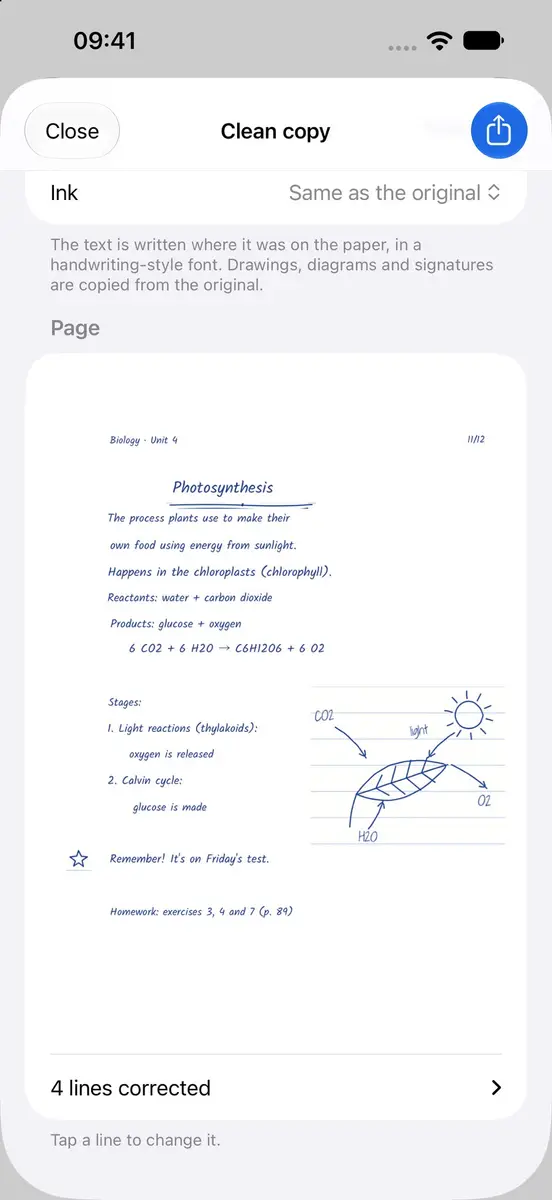
The second is the handwriting clean copy. According to the listing, AI reads your handwriting, fixes spelling if you want it to, and rewrites every line in place using one of 6 handwriting-style fonts in blue or black ink. Drawings, diagrams, arrows and signatures are copied straight from the original. You see each corrected line next to what was on the paper, or you can ask for a word-for-word copy.
Other points from the listing:
- On-device text recognition in English, Spanish and many more languages, with headings, paragraphs, lists, tables and QR codes detected
- Export to searchable PDF, Word, OpenDocument, RTF, Markdown, Excel, CSV, HTML, plain text, JSON and image formats
- Live Text on the page to select, copy and translate
- A listen feature that reads a document aloud and highlights each word
Prices
New Mobile Life lists the regular price as US $0.99 and says the app is free for a limited time. None of the sources gives an end date. The App Store listing shows the app as Free at the time of writing.
How do you get it?
- Open the App Store on your iPhone or iPad and search for Escanoteca, or use the link on the official listing.
- Check that the button says Get rather than a price.
- Tap Get and confirm with your Apple account.
- Open the app, scan a page and choose whether to export it as is or make a clean copy.
What are the catches?
The app needs iOS 26.0 or later, or iPadOS 26.0 or later. The handwriting clean copy works with your own key for an AI provider that can read images, such as OpenAI, Claude or Gemini, according to the listing. That means you need an account and key with that provider, and the sources do not say what the provider charges. The listing says documents stay on your device unless you choose a cloud AI provider or share a file.
The developer’s privacy label, which Apple has not verified, says no data is collected by the app. The sources do not mention in-app purchases, so check the listing.
Who it suits
Students. Class notes can become a tidy, searchable file, with diagrams kept as drawn.
Meeting note takers. Scanning to Word or Markdown skips retyping.
People who archive paper. The scanner exports searchable PDF and spreadsheet formats, with text recognition running offline on the device.
Who should skip it. If you do not have an AI provider key, you only get the scanner and offline text recognition, not the handwriting rewrite.
Before downloading, open the App Store listing and confirm the price still reads Free.